Why your apps are refusing to work with your VPN
A clear guide to why some apps don’t function with a VPN and how to fix common issues.
If you’ve ever turned on a VPN and found that certain apps stop working or refuse to connect, you’re not alone. The short answer is: apps differ in how they handle their network traffic, how they verify your identity or location, and how they respond to what they perceive as a change in your network. A VPN can alter IP address, location, and routing in ways that some apps don’t like. Below is a practical guide to understanding why this happens and what you can do about it.

Comparing VPN behavior across apps
| App category | Works with VPN | Requires split tunneling | Uses IP checks | Location sensitivity | Notes |
|---|---|---|---|---|---|
| Banking apps | No | Yes | Yes | Yes | Often block VPNs or need exit IP whitelisting |
| Streaming services | Sometimes | Yes | Yes | Yes | May detect VPNs and block proxy IPs |
| Social media apps | Yes | Optional | Sometimes | Yes | Some detect unusual IPs, may prompt login |
| Gaming apps | Yes | Yes | Sometimes | Yes | Anti-cheat often flags VPN IPs |
| Productivity apps | Yes | Optional | No | No | Generally tolerant of IP changes |
| Enterprise apps | Yes | Yes | Yes | Yes | May require corporate IP ranges |
| Mobile apps (general) | Yes | Optional | Yes | Yes | IP checks vary by app |
Compiled November 2026; check the provider's site for current details.
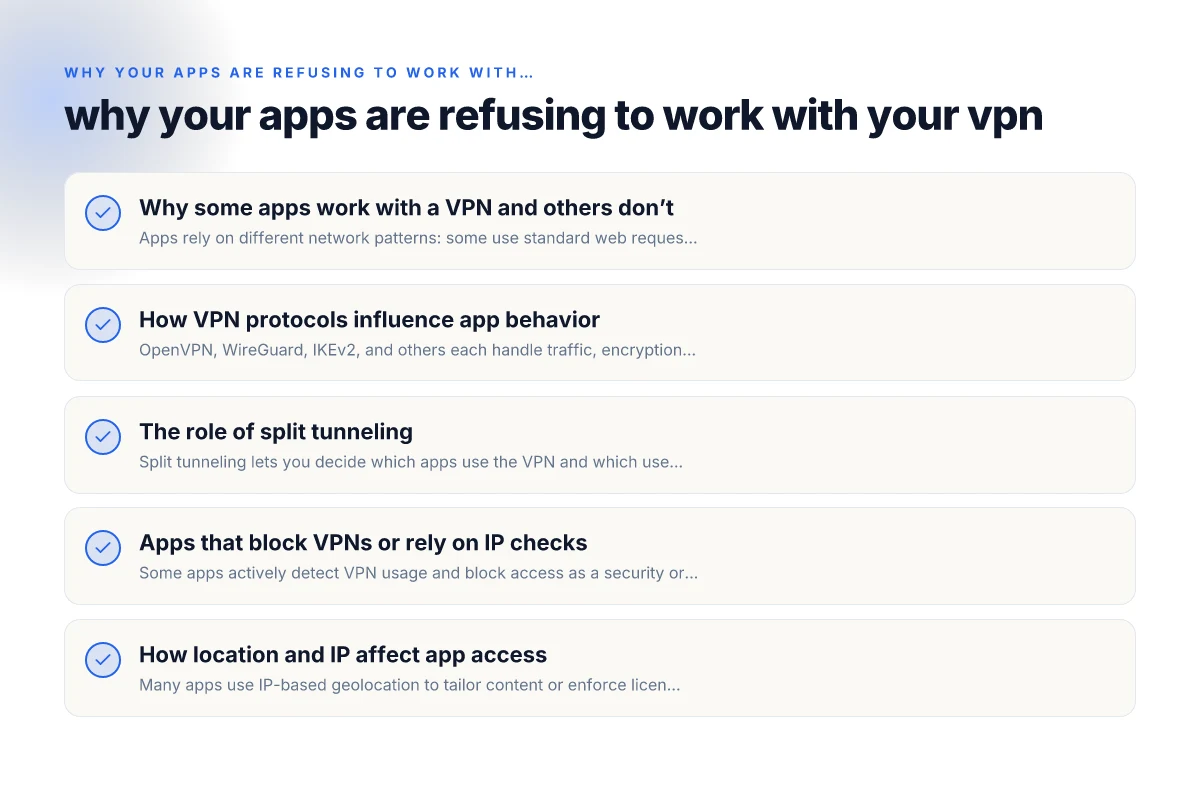
Why some apps work with a VPN and others don’t
- Apps rely on different network patterns: some use standard web requests, others use real-time communication, gaming protocols, or voice/video streams.
- Apps may enforce geo-restrictions or licensing checks tied to IP addresses or regions.
- Some apps detect VPNs and block connections to prevent fraud or enforce terms of service.
- Split tunneling and VPN modes affect whether traffic for a given app goes through the VPN or the regular internet.
In short, VPNs aren’t a universal shield. They’re a network path that can change how data leaves your device, which apps interpret in different ways.
How VPN protocols influence app behavior
- OpenVPN, WireGuard, IKEv2, and others each handle traffic, encryption, and routing differently.
- Some apps are sensitive to latency or packet loss, and certain protocols introduce more overhead or variability.
- Some servers or protocols are more prone to IP-based blocks or firewall detections.
If an app starts failing after you switch protocols, it’s often a signal to try another option or adjust settings.
Quick protocol testing steps
- Switch between WireGuard and OpenVPN if your VPN supports them.
- Try IKEv2 or a different UDP/TCP option if available.
- Check for any “kill switch” or automatic routing features that may block traffic when the VPN is connected.
VPN protocols and their influence on app behavior
| Protocol | App compatibility | Latency | Throughput | Secure? | Notes |
|---|---|---|---|---|---|
| OpenVPN | High | Medium | Medium | Yes | Versatile, widely supported |
| WireGuard | High | Low | High | Yes | Modern, fast, simple |
| IKEv2 | High | Low | Medium | Yes | Good for mobile reconnects |
| PPTP | Low security | High | High | No | Generally discouraged |
| L2TP/IPsec | Medium | Medium | Medium | Yes | Can be blocked by some networks |
| Shadowsocks | Variable | Medium | Medium | Yes | Obfuscated, flexible in some regions |
Compiled November 2026; check the provider's site for current details.
The role of split tunneling
Split tunneling lets you decide which apps use the VPN and which use your normal internet connection. It’s a powerful tool when some apps refuse to work with the VPN, or if you want to conserve bandwidth on non-critical traffic. Why some websites just won't work with your VPN
Benefits:
Keeps essential apps accessible on the regular network.
Reduces VPN load on latency-sensitive apps (games, VOIP).
Lets you access local network devices while staying protected for other tasks.
Drawbacks: Why Mullvad VPN isn’t connecting
Slightly lowers overall VPN protection for apps you exclude.
Misconfiguration can leak IP addresses or bypass VPN for sensitive traffic.
If you’re unsure, start with app-specific split tunneling for the most problematic programs.
Apps that block VPNs or rely on IP checks
Some apps actively detect VPN usage and block access as a security or licensing measure. Common scenarios include:
- Streaming services that enforce regional content rights.
- Banking or fintech apps that block out-of-region IPs to mitigate fraud.
- Light-control or IoT apps that depend on local network discovery and may fail when routed through VPNs.
What to do when you encounter this: Why does Proton VPN keep disconnecting
- Temporarily disable the VPN for that app, if allowed and safe.
- Use a different server region that the service accepts but remains within policy.
- Check if the app supports local device authentication or offline mode.
Note: Disabling VPN for certain apps can reduce your privacy for those tasks, so weigh the risk against the need.
How location and IP affect app access
- Many apps use IP-based geolocation to tailor content or enforce licensing. A VPN changes your apparent location, triggering blocks or altered behavior.
- Some apps require device region settings to match IP-derived location. Divergence can cause errors.
- In some cases, IP reuse or shared VPN addresses can trip rate limits or anti-abuse systems.
If you notice content mismatch or access denial after connecting to a VPN, try changing the VPN region or contact the app’s support for guidance.
A practical troubleshooting checklist
- Identify the failing app’s behavior
- Does it fail to connect, time out, or show an error message?
- Is there any pattern (only on certain servers or regions)?
- Test with different VPN settings
- Protocol (WireGuard vs OpenVPN, etc.)
- Server location
- Enable/disable kill switch
- Use split tunneling for the app
- Check device and app-level settings
- Ensure the app isn’t blocked by your device’s firewall or security suite.
- Verify that the app isn’t configured to require a specific network type (e.g., trusted networks only).
- Update the app and the VPN client to the latest versions.
- Try alternative access methods
- Temporarily disable the VPN for that app and confirm it works without VPN.
- If the app is essential, see if it offers offline or local-network options.
- Review account and region constraints
- Some services require accounts to be created in specific regions.
- If your VPN changes your apparent region, log out and back in or reauthenticate as needed.
- Check for known issues and support channels
- Look for service status pages or community forums for your specific app.
- Contact the app’s support with details about your VPN provider, server, and protocol.
Split tunneling vs full-tunnel decision guide
| Scenario | Split tunneling suitable? | Full tunnel recommended? | Key consideration |
|---|---|---|---|
| Access local bank app while VPN on | Yes | No | Local IP access needed |
| Access corporate intranet only | Yes | No | Internal resources on VPN only |
| Streaming while browsing regional content | Yes | No | Preserve local geolocation for streaming |
| Gaming with VPN for latency | Yes | No | Avoid VPN blocks, prefer straight path if possible |
| Privacy-focused browsing | No | Yes | Ensure all traffic is encrypted through VPN |
| Public Wi‑Fi protection | Yes | Yes | Prefer full tunnel on untrusted networks |
Compiled November 2026; check the provider's site for current details.
A practical comparison: when to use split tunneling vs full-tunnel
Here is a quick comparison to help decide which approach to use for a troublesome app. How jackery stacks up against 4patriots solar generators
Full-tunnel (all traffic through VPN)
Pros: Maximum privacy and security. Consistent routing for all apps.
Cons: Some apps may fail due to geo or IP checks. Higher latency.
Split tunneling (only some apps through VPN)
Pros: Keeps compatibility for sensitive or locally networked apps. Preserves speed for others. NordVPN IKEv2: how to set up and use IKEv2/IPsec with NordVPN across devices
Cons: Requires more setup. Potential IP leakage risk if misconfigured.
| Scenario | Full-tunnel benefits | Typical risk | Split tunneling suitability |
|---|---|---|---|
| Banking app over VPN | High privacy, consistent routing | Possible IP/geolocation blocks | Often good, exclude bank app from VPN |
| Local IoT control app | VPN-safe unless device uses local discovery | Low risk; may need local network access | Highly suitable; route IoT app via local network |
| Streaming service | Privacy maintained; may trigger blocks | Geo-restrictions may cause errors | May require regional server or disable VPN for this app |
| Online gaming | Consistent latency via VPN server | VPN can add latency or get blocked | Split tunneling often best; game through VPN or regular network depending on server stability |
Final recommendations
- Start with a methodical test: try a different protocol, then a different server region, then enable split tunneling for the app.
- If an app consistently refuses to work over VPN, consider using the VPN for privacy and security with other apps off, or choose a server location that aligns with the app’s allowed regions.
- For apps that are critical to your daily workflow (banking, work communication, IoT control), prefer stable, predictable connectivity over blanket VPN usage. Use split tunneling to protect sensitive tasks while allowing others to run normally.
- Keep everything updated: app, VPN client, and device OS. Sometimes a single update fixes blocking behavior.
- Document your setup: note which servers and settings work for which apps. A simple log helps you quickly reproduce a working configuration when you switch networks.
If you’d like, tell me which specific apps you’re having trouble with and what VPN provider and devices you’re using. I can tailor a step-by-step troubleshooting plan and propose a split-tunneling configuration optimized for your setup.