Forticlient VPN not working with hotspot
Practical steps and explanations for when FortiClient VPN won’t work over a mobile hotspot.
FortiClient VPN not working with hotspot can be frustrating because hotspots often introduce network quirks that disrupt VPN handshakes. The problem isn’t unique to FortiClient. Many VPN clients struggle when the only available network is a mobile hotspot. Below, you’ll find a practical guide to understand why this happens and how to fix it, with steps you can try in quick succession.

Comparison of hotspot vs home network behavior
| Feature | FortiClient VPN status | Connection stability | IP address type | DNS behavior | NAT traversal | Notes |
|---|---|---|---|---|---|---|
| Hotspot network | Often blocked or unstable | Often drops | Public or carrier CGN | DNS leakage possible | NAT | Mobile carrier limits |
| Home network | Generally stable | Usually reliable | Private IP (LAN) | DNS usually normal | NAT may exist | Typical household setup |
| VPN pass-through | Sometimes blocked | Varies | - | - | - | Depends on router |
| Protocols supported | SSL/TLS, IPsec | Varies by protocol | - | - | - | Check settings |
| Reconnect behavior | Auto-reconnect yes | May delay | - | - | - | User settings |
Compiled November 2026; check the provider's site for current details.
Why a hotspot can break FortiClient VPN
What makes hotspots different
- Carrier networks route traffic differently than typical home/office networks.
- Hotspots can have higher latency, dynamic IPs, and NAT configurations that affect VPN connections.
- Some hotspots apply strict firewall rules or block unusual traffic used by VPN handshakes.
Common symptoms with FortiClient
- VPN gets stuck at 98% during login.
- Authentication succeeds but traffic never transmits.
- Frequent timeouts or disconnects after a brief period.
Quick takeaway
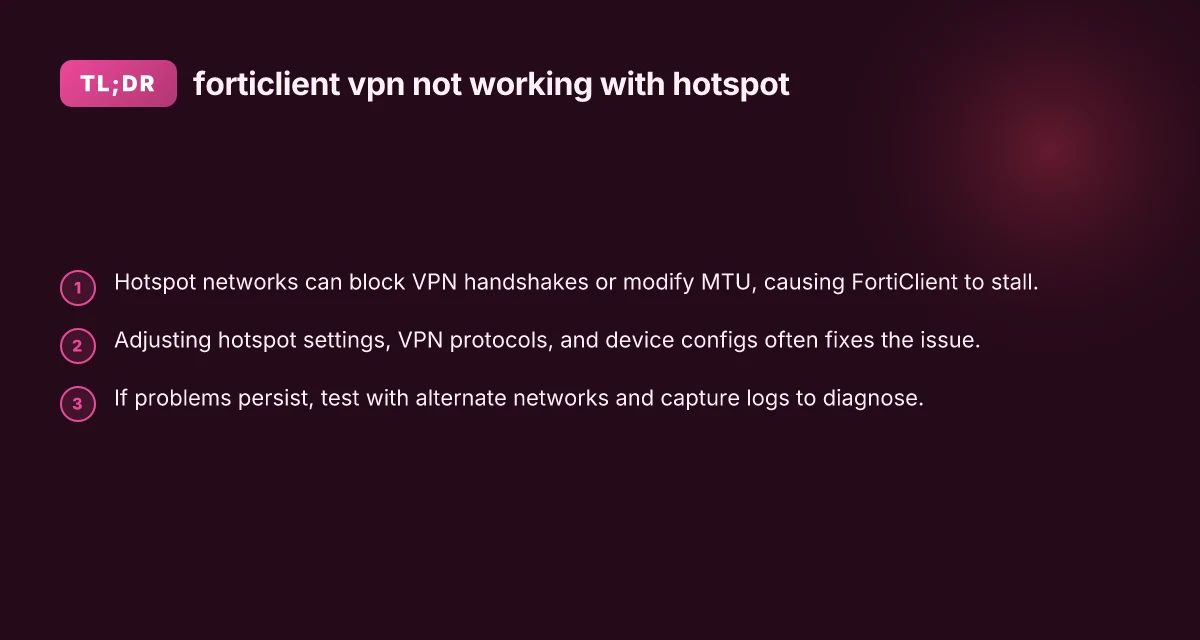
Hotspot-specific constraints, like MTU handling, tunneling methods, and device-side firewall rules, frequently cause FortiClient to stall or fail over mobile networks. Addressing these constraints often resolves the issue.
Troubleshooting steps you can try first
Basic checks
- Verify your hotspot has a stable data connection (test by browsing or streaming).
- Ensure the FortiClient app is up to date.
- Reboot both the host device (phone, tablet, laptop) and the hotspot device if possible.
FortiClient configuration tweaks
- Try a different VPN mode or protocol if the client supports multiple options (e.g., SSL VPN vs IPsec, if available).
- Disable features that may interfere over cellular networks, such as DPI or certain advanced security checks, if the option exists in FortiClient.
- Turn off any built-in ad-block or security extensions that could interfere with VPN traffic.
Smartphone hotspot settings to adjust
- Disable or adjust Maximize Compatibility if you see this option on iPhone or Android hotspots. This setting can impact MTU and fragmentation behavior.
- Ensure the hotspot is using a compatible band (2.4 GHz vs 5 GHz) if the client has trouble with higher-frequency air interfaces.
- Temporarily reduce the number of connected devices to minimize NAT issues and keep the tunnel clean.
PC or device network settings
- On Windows, set the FortiClient instance to “Allow VPN over metered networks” only if you understand the data implications. Otherwise, keep it off until testing is complete.
- Check firewall rules on the host device to ensure FortiClient isn’t blocked.
- Temporarily disable other VPNs or security suites to avoid conflicts during testing.
Protocol-specific tips and what to expect
SSL VPN vs IPsec
- SSL VPN tends to behave more robustly on erratic networks, but isn’t immune to hotspot issues.
- IPsec can be more sensitive to MTU and NAT traversal. If your FortiClient supports switching protocols, try SSL first, then IPsec, noting any changes in behavior.
- If you see a progress stall at login (e.g., 98%), protocol negotiation is likely the issue, not credentials.
MTU and fragmentation
- Mobile hotspots may drop or fragment packets differently. You can test MTU adjustments on the client side if supported.
- A practical approach is to leave MTU at default first. If problems persist, experiment with small reductions (e.g., by 10–20 bytes) and retest.
NAT traversal and firewall implications
- Some hotspots use Carrier-grade NAT, which can complicate VPN connection initiation. If available, enable NAT-T or related traversal options in FortiClient.
- If your hotspot’s firewall is blocking VPN-related ports (commonly 443 for SSL VPN or 500/4500 for IPsec), you may need to enable these or switch to a protocol that uses a port you can allow.
Troubleshooting steps quick-reference
| Step | Action | Expected outcome | Time estimate | Tools needed | Notes |
|---|---|---|---|---|---|
| 1 | Switch to home network | VPN connects | few minutes | None | Baseline test |
| 2 | Update FortiClient | Updated app | 5–10 minutes | App store | Fixes bugs |
| 3 | Check hotspot settings | VPN pass-through enabled | 2–5 minutes | Phone/ hotspot app | Ensure tethering allowed |
| 4 | Reboot devices | Fresh network | 5 minutes | None | Clear caches |
| 5 | Verify DNS | DNS resolves VPN domain | 1–2 minutes | Network tools | Use 8.8.8.8 as test |
| 6 | Check protocol | SSL/IPsec selection | 2 minutes | FortiClient | Try alternate protocol |
| 7 | Collect logs | Diagnostics ready | 5–15 minutes | FortiClient logs | For expert help |
Compiled November 2026; check the provider's site for current details.
Quick-reference comparison: hotspot vs. home network behavior
| Factor | Home/Office Network | Mobile Hotspot | Impact on FortiClient VPN |
|---|---|---|---|
| NAT type | Typically predictable NAT or public IP | Carrier NAT, may be symmetric/asymmetric | Higher risk of VPN handshake failure or fragmentation |
| MTU handling | Standard path MTU usually fine | Variable; fragmentation more likely | VPN packets may be dropped or delayed |
| Bandwidth | Often stable | Variable, may spike or drop | Timing-sensitive VPN establishment can fail |
| Firewall rules | Generally permissive for VPN ports | Could block or throttle VPN ports | Need protocol-flexibility or port adjustments |
| Latency | Low to moderate | Higher and variable | Connection establishment can stall |
When to test alternate networks
- If FortiClient VPN works on a home Wi-Fi or another stable network but not on the hotspot, the issue is likely hotspot-specific.
- Test with a different hotspot or a tethered connection (e.g., USB modem) to confirm the problem is hotspot-related.
- If possible, test the VPN on a different device using the same hotspot to determine if the issue is device-specific.
Logs and diagnostics: what to collect
- FortiClient VPN logs: enable verbose logging if available and save the log file after a failed connection attempt.
- Network traces: capture MTU-related errors, handshake failures, or timeouts.
- Hotspot logs: many devices provide logs or diagnostics about connected clients and NAT behavior.
- Screenshots or timestamps: document when the 98% stall happens and what the FortiClient UI shows at that moment.
Collecting these details helps if you need to escalate to Fortinet support or your carrier’s technical help desk.
Protocol-specific tips and what to expect NordVPN 3 years
| Protocol | Typical port | VPN behavior on hotspot | Expected latency | Reconnect on drop | Additional notes |
|---|---|---|---|---|---|
| SSL/TLS (SSL-VPN) | TCP 443 | Often blocked or throttled | Moderate | Yes | Try 443 alternate route |
| IPsec (IKEv2) | UDP 500/4500 | Sometimes blocked | Higher | Yes | Check NAT-T support |
| IKEv1 | UDP 500 | Similar to IPsec | Moderate | Yes | Deprecated in some setups |
| WireGuard | UDP 51820 | Less common on hotspots | Low to moderate | Yes | May require app support |
| SSTP | TCP 443 | Similar to SSL | Moderate | Yes | Windows often supports |
Compiled November 2026; check the provider's site for current details.
Practical steps to resolve the issue in order
Update and retry: Ensure FortiClient and the device OS are up to date, then retry on the hotspot.
Change protocol and MTU: If FortiClient allows, switch between SSL VPN and IPsec. Adjust MTU settings conservatively.
Adjust hotspot settings: Turn off Maximize Compatibility on iPhone or similar options on other devices. Test after each change.
Simplify the network: Reduce connected devices. Disable other VPNs or firewall apps that might interfere. Why your VPN keeps turning on by itself
Test alternative networks: Use a different hotspot or switch to a wired connection if available to verify whether the problem is hotspot-specific.
Gather logs and seek help: If the issue persists, collect logs and contact Fortinet support or your hotspot carrier with the details.
When the problem persists: expert help and next steps
If you’ve exhausted the above steps without a successful VPN connection over hotspot, consider these options:
- Use a VPN at the router level: Some users configure a VPN on a portable travel router to provide a stable VPN tunnel to devices in the same network.
- Use a different VPN client: In some cases, a different VPN client with better hotspot compatibility can connect to the same gateway.
- Engage support: Provide Fortinet support with your log files, hotspot model, OS version, FortiClient version, and the exact steps you took during a failed attempt.
Recommendation: Start with hotspot adjustments and protocol testing. If FortiClient still won’t connect over hotspot, verify MTU and NAT traversal settings, then test an alternate network to confirm hotspot-specific behavior. If the hotspot is the bottleneck, a router-level VPN or a different hotspot configuration can offer a longer-term solution.
| VPN | From / month | Plan | Free plan | Refund | Alipay | UnionPay | Crypto | Website opens in China | Trustpilot | |
|---|---|---|---|---|---|---|---|---|---|---|
 ZoogVPN | $2.49/mo | 27 months: $59.99 | Yes | 7 days | ✓ | ✓ | ✓ | ✓ | ✓ Yes (2.5 s) | 4.2/5 (195 reviews) |
 NordVPN | $3.49/mo | 27 months: $94.23 | No | 30 days | ? | ✗ | ✓ | ✓ | ✗ Blocked | 4.2/5 (51,628 reviews) |
 ExpressVPN | $3.00/mo | 28 months: $84 | No | 30 days | ✗ | ✗ | ✓ | ✗ | ✗ Blocked | 4.4/5 (29,706 reviews) |
 Surfshark | See site | See site | No | 30 days | ✗ | ✗ | ✗ | ✓ | ✗ Blocked | 4.3/5 (31,823 reviews) |
 Proton VPN | $2.99/mo | 12 months: $35.88 | Yes | 30 days | ✗ | ✗ | ✗ | ✓ | ✓ Yes (2.5 s) | 2.1/5 (1,040 reviews) |
 Astrill VPN | $12.50/mo | 24 months: $300 | No | See site | ✗ | ✗ | ✗ | ✓ | ✗ Blocked | 1.3/5 (110 reviews) |
 Private Internet Access | $2.03/mo | 40 months: $81.2 | No | 30 days | ✗ | ✗ | ✗ | ✗ | ✗ Blocked | 4.2/5 (11,033 reviews) |
 CyberGhost | $2.19/mo | 28 months: $61.32 | No | 45 days | ✗ | ✗ | ✗ | ✓ | ✗ Blocked | 4.0/5 (24,178 reviews) |
 PureVPN | $1.69/mo | 60 months: $101.55 | No | 31 days | ? | ✗ | ✗ | ✓ | ✓ Yes (2.6 s) | 4.4/5 (17,994 reviews) |
 AdGuard VPN | $2.99/mo | 24 months: $71.76 | Yes | 30 days | ✓ | ✗ | ✓ | ✓ | Official site blocked; our special link opens (2.3 s) | 4.3/5 (290 reviews) |
 Mullvad | $5.61/mo | €5/mo | No | 14 days | ✗ | ✗ | ✗ | ✓ | ✗ Blocked | 3.2/5 (192 reviews) |
 Windscribe | $5.75/mo | 12 months: $69 | Yes | See site | ✗ | ✗ | ✗ | ✓ | ✗ Blocked | 4.7/5 (13,355 reviews) |
 StrongVPN | See site | See site | No | 30 days | ✓ | ✗ | ✗ | ✗ | ✗ Blocked | 4.4/5 (2,695 reviews) |
 LightXtreme 闪连 | $7.08/mo | 12 months: $84.99 | Yes | 30 days | ✓ | ✓ | ✓ | ✓ | ✓ Yes (2.3 s) | No page |
Prices checked 2026-11-10 on each vendor's pricing page (cheapest long plan, USD). Check the vendor's checkout for the final price.
Payment methods checked 2026-11-10 on each vendor's payment pages: all 14 take cards and PayPal; ✗ = not listed, ? = the vendor's own pages disagree.
China access: whether the official website opens from mainland China networks (tests the website only, not the VPN connection). Last checked 2026-11-11 04:07 Beijing time.
Trustpilot score and review count checked 2026-11-10.