Cancel Proton VPN subscription
A practical, step-by-step guide to canceling Proton VPN, including refunds, downgrades, and auto-renew considerations.
Proton VPN makes it possible to stop paying for your subscription when you no longer need it, or if you want to switch plans. Whether you’re seeking a straightforward downgrade to a free tier or a full cancellation with a potential refund, the process is designed to be user-friendly. This guide walks you through the steps, what to expect, and where to look for refunds and terms.

Understanding choice options after canceling Proton VPN
| Option | Free plan status | Refund eligibility | Access after cancellation | Data limit | Re-activation possible? |
|---|---|---|---|---|---|
| Cancel now | No paid access | Depends on policy | Access ends | No data on paid plan | Yes, possible later |
| Downgrade to Free | Yes, to Free plan | N/A | Access continues | Limited to Free > depends on plan | Yes, re-upgrade possible |
| Keep subscription active | Yes | N/A | Access continues | Full data and features | Yes, unchanged |
Compiled November 2026; check the provider's site for current details.
Understanding the basics: what happens when you cancel
Canceling a Proton VPN subscription stops future renewals and access to paid features after your current billing period ends. If you’re within the first 30 days of a paid subscription, you may be eligible for a money-back refund. The exact refund policy can depend on the plan you purchased and the original payment method, so it’s wise to review the terms when you initiate a cancellation.
Key points to know:
- Canceling stops auto-renewal.
- You retain access until the end of the current billing cycle.
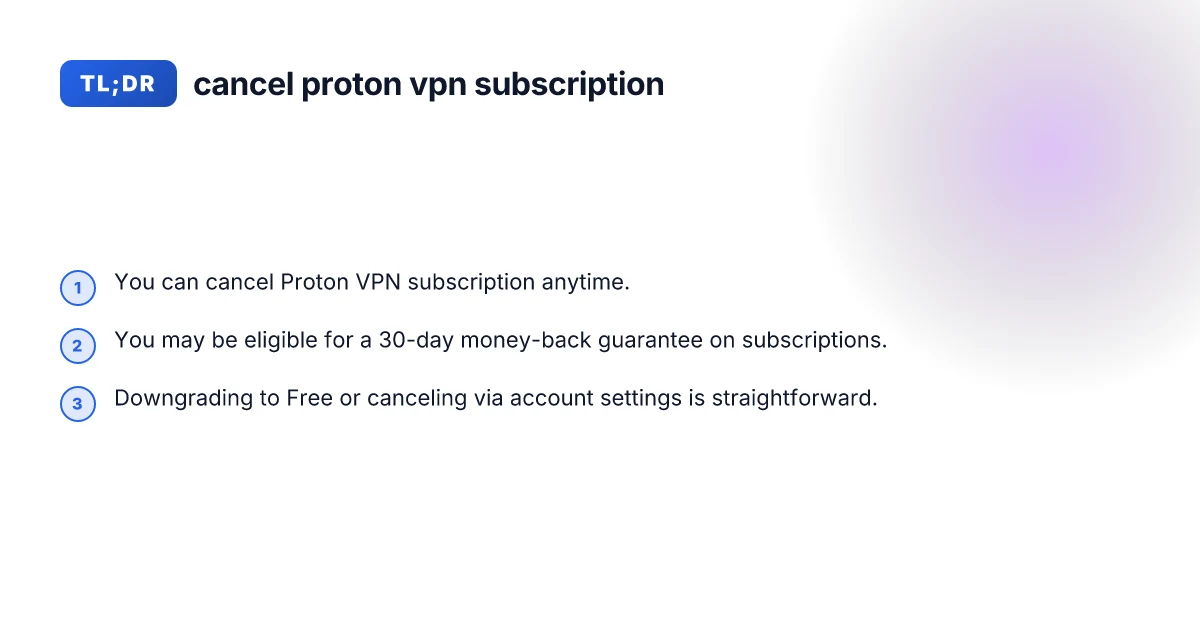
- A 30-day money-back guarantee applies to subscriptions if requested within 30 days of purchase.
- Downgrading to Free can be done from the same account without waiting for a cycle end, in many cases.
If you’re unsure about eligibility for a refund, you can start the cancellation process and request the refund during the process, as many users experience a smooth refund flow within the policy window.
How to cancel Proton VPN subscription: step-by-step
The user interface is designed to guide you through cancellation. Here’s a concise, practical path to cancel:
- Log in to your Proton VPN account.
- Navigate to Settings or the subscription area. The exact path is typically: Account or Settings → Subscription.
- Scroll to Cancel subscription and click Continue.
- Choose Cancel subscription.
- Review cancellation terms, then confirm.
What to expect after you cancel: Cancel Proton VPN
- Your subscription will remain active until the end of your current billing period.
- Auto-renew is disabled, so you won’t be charged again.
- If you requested a refund within the 30-day window, the refund will be processed according to Proton VPN’s refund policy and your payment method.
If you encounter any trouble during cancellation, contact Proton VPN support with your account details. They can verify your subscription status and help you complete the cancellation.
Downgrading to Free vs. canceling completely
There are typically two paths: downgrade to Free or cancel entirely. Each option serves different needs:
- Downgrade to Free: Keeps basic features available, with no paid access. It’s a way to stop automatic payments while keeping VPN service at a no-cost level.
- Cancel completely: Ends the subscription and removes paid features entirely. If you later decide to return, you’ll need to re-purchase or re-subscribe.
How to downgrade to Free:
- Go to Subscription in your Proton VPN account.
- Look for the option to downgrade or switch to Free. Confirm the downgrade.
- You’ll typically keep access to Free features immediately, but verify any feature limitations.
How to cancel completely:
- Follow the full cancellation steps described above.
- Ensure you receive an email confirmation of cancellation and any refund status if applicable.
Note: Some users report that downgrading from Plus to Free will transfer you to the free tier during the same session. If you’re unsure whether you’re on Plus or Free after downgrading, recheck your subscription status in the account area. Best VPN for espn plus
Refund policy in practice
Refunds are a common concern. Proton VPN’s pricing page states that there is a money-back guarantee for all subscriptions if requested within the first 30 days. Here’s how to approach this:
- If you’re within the first 30 days of purchase, you can request a refund.
- The refund is typically returned to the original payment method.
- If you’re outside the 30-day window or your plan has different terms, refunds may not be available, or you may receive a partial credit per policy.
- Some users report successful refunds by contacting support via the cancellation flow or support channels. Having your order number, account email, and last four digits of the card can speed things up.
Tips to improve refund success:
- Initiate cancellation within 30 days of purchase.
- Clearly state you’re requesting a refund under the 30-day guarantee.
- Use the official cancellation path to ensure your request is logged correctly.
If you’re not eligible for a refund but still want out, you can proceed with cancellation and stop future charges, and continue using the service until the end of the current period if your plan allows.
Managing subscriptions across devices and billing
Proton VPN subscriptions are tied to your Proton account, not a single device. You can manage your subscription from any device by logging into your account. The steps are the same across platforms because it’s a web-based management console.
- Desktop or laptop: Use a browser to log in to account.protonvpn.com or protonvpn.com, then navigate to Subscription.
- Mobile: Use the Proton VPN app or mobile browser to access your account settings. The interface should mirror the desktop experience for cancellation.
If you pay via a third-party (e.g., app store), check whether cancellation must be done through the app store or directly via Proton VPN. Some platforms require you to cancel through the platform where you purchased the subscription to stop future charges. Nordpass autofill not working
Step-by-step comparison of cancel vs. downgrade vs. keep going
| Step | Cancel | Downgrade to Free | Keep going (full subscription) | Notes |
|---|---|---|---|---|
| Navigate to account | Log in > Profile > Billing | Log in > Profile > Billing | Log in > Profile > Billing | Location may vary by platform |
| Choose action | Cancel subscription | Switch to Free plan | Do nothing | Ensure you confirm action |
| Confirm | Confirm cancellation | Confirm downgrade to Free | No confirmation needed | Check for prompts |
| Billing impact | Stop future charges | No charges on paid tier; Free applies | Charges continue | Billing cycle remains |
| Access after step | Loss of paid features | Retained basic features | Full features | Depends on plan |
Compiled November 2026; check the provider's site for current details.
A quick comparison: cancel vs. downgrade vs. keep going
Here’s a simple comparison to help you decide what to do if you’re considering cancellation.
| Option | What it does | When charges stop | Refund possibility | Access after action |
|---|---|---|---|---|
| Cancel subscription | Stops the subscription entirely | Charges stop after end of current period | 30-day money-back guarantee may apply | Access ends after current period; paid features gone |
| Downgrade to Free | Keeps basic features without paid plan | No further charges for paid plan | No refund; you’ve already paid for period | Free tier features remain as allowed |
| Continue without changes | No action; keep current plan | Auto-renew continues | No refund unless in policy window | Access remains on current tier |
This table should help you think through the immediate effects of each path and set expectations about refunds and access.
What to do if you run into issues
If you hit snags, here are practical steps to resolve common problems: Azure VPN keeps disconnecting
- Double-check where you cancel: Some users miss the exact location in Settings or Account, so re-navigating from the main account screen helps.
- Check your email for confirmation: A cancellation confirmation email acts as your ticket if you need to dispute charges.
- Contact support with specifics: Your Proton VPN account email, the plan name, order number, and date of purchase help the support team locate your subscription quickly.
- If you used a gift card or credits: Understand how credits affect refunds. Credits are digital vouchers that can be used toward a Proton subscription, and they may have special rules in refunds or cancellation scenarios.
Refund policy in practice with scenarios
| Scenario | Refund eligibility | Timeframe | Process | Evidence needed |
|---|---|---|---|---|
| 7-day trial used | Often yes for unused time | Within trial window | Request via support | Proof of purchase, account email |
| Monthly subscription canceled | Depends on policy | Varies (days to weeks) | Submit refund request | Receipt, cancellation date |
| Annual plan canceled | Possible partial refund | Usually prorated | Contact billing | Renewal date, payment method |
| Already used features | Usually no | N/A | N/A | N/A |
Compiled November 2026; check the provider's site for current details.
Final recommendation
If your goal is to stop paying while keeping flexibility, cancel the subscription or downgrade to Free, depending on whether you want continued access to any paid features at no cost. If you’re within 30 days of purchase, request a refund under the money-back guarantee. Always confirm the cancellation in your account, and keep the confirmation email for your records. For ongoing questions or policy nuances, consult Proton VPN’s support documentation or contact their support team directly. By following the outlined steps, you can navigate cancellation smoothly and choose the option that best fits your needs.
| VPN | From / month | Plan | Free plan | Refund | Alipay | UnionPay | Crypto | Website opens in China | Trustpilot | |
|---|---|---|---|---|---|---|---|---|---|---|
 Proton VPN | $2.99/mo | 12 months: $35.88 | Yes | 30 days | ✗ | ✗ | ✗ | ✓ | ✓ Yes (2.5 s) | 2.1/5 (1,040 reviews) |
 ZoogVPN | $2.49/mo | 27 months: $59.99 | Yes | 7 days | ✓ | ✓ | ✓ | ✓ | ✓ Yes (2.5 s) | 4.2/5 (195 reviews) |
 NordVPN | $3.49/mo | 27 months: $94.23 | No | 30 days | ? | ✗ | ✓ | ✓ | ✗ Blocked | 4.2/5 (51,628 reviews) |
 ExpressVPN | $3.00/mo | 28 months: $84 | No | 30 days | ✗ | ✗ | ✓ | ✗ | ✗ Blocked | 4.4/5 (29,706 reviews) |
 Surfshark | See site | See site | No | 30 days | ✗ | ✗ | ✗ | ✓ | ✗ Blocked | 4.3/5 (31,823 reviews) |
 Astrill VPN | $12.50/mo | 24 months: $300 | No | See site | ✗ | ✗ | ✗ | ✓ | ✗ Blocked | 1.3/5 (110 reviews) |
 Private Internet Access | $2.03/mo | 40 months: $81.2 | No | 30 days | ✗ | ✗ | ✗ | ✗ | ✗ Blocked | 4.2/5 (11,033 reviews) |
 CyberGhost | $2.19/mo | 28 months: $61.32 | No | 45 days | ✗ | ✗ | ✗ | ✓ | ✗ Blocked | 4.0/5 (24,178 reviews) |
 PureVPN | $1.69/mo | 60 months: $101.55 | No | 31 days | ? | ✗ | ✗ | ✓ | ✓ Yes (2.6 s) | 4.4/5 (17,994 reviews) |
 AdGuard VPN | $2.99/mo | 24 months: $71.76 | Yes | 30 days | ✓ | ✗ | ✓ | ✓ | Official site blocked; our special link opens (2.3 s) | 4.3/5 (290 reviews) |
 Mullvad | $5.61/mo | €5/mo | No | 14 days | ✗ | ✗ | ✗ | ✓ | ✗ Blocked | 3.2/5 (192 reviews) |
 Windscribe | $5.75/mo | 12 months: $69 | Yes | See site | ✗ | ✗ | ✗ | ✓ | ✗ Blocked | 4.7/5 (13,355 reviews) |
 StrongVPN | See site | See site | No | 30 days | ✓ | ✗ | ✗ | ✗ | ✗ Blocked | 4.4/5 (2,695 reviews) |
 LightXtreme 闪连 | $7.08/mo | 12 months: $84.99 | Yes | 30 days | ✓ | ✓ | ✓ | ✓ | ✓ Yes (2.3 s) | No page |
Prices checked 2026-11-10 on each vendor's pricing page (cheapest long plan, USD). Check the vendor's checkout for the final price.
Payment methods checked 2026-11-10 on each vendor's payment pages: all 14 take cards and PayPal; ✗ = not listed, ? = the vendor's own pages disagree.
China access: whether the official website opens from mainland China networks (tests the website only, not the VPN connection). Last checked 2026-11-11 04:07 Beijing time.
Trustpilot score and review count checked 2026-11-10.