Why your ubiquiti VPN isn’t connecting

Practical, step-by-step guidance to diagnose and fix common UniFi VPN connection issues.
If your Ubiquiti VPN isn’t connecting, the problem isn’t always dramatic. Often it’s a small misconfiguration, an outdated component, or a network constraint getting in the way. This guide walks you through the most common culprits and practical fixes, from generic connectivity checks to protocol-specific tips. By the end, you’ll have a clear path to restore a stable VPN connection.

Quick comparison of troubleshooting focus
| Area | Quick checks | Server vs client? | Protocol compatibility | Common error hints | Outcome indicator |
|---|---|---|---|---|---|
| Basics working? | Ping, reachability, basic Internet | N/A | N/A | No VPN handshake / no IP | Yes if reachable |
| Settings correct? | Verify server address, credentials | Server | TLS/SSL, IKEv2, WireGuard | Cert mismatch, wrong pre-shared key | No if incorrect |
| Updates present? | Check recent updates | Client/server | Protocol support changed | Incompatibility after update | Yes if aligned |
| Protocol level tips | Troubleshoot per protocol | N/A | Open/blocked ports | Protocol blocked, timeout | Yes if fixes found |
| Network/Device fixes | Router, firewall, DNS | N/A | N/A | NAT, blocking, VPN passthrough | Yes after changes |
Compiled November 2026; check the provider's site for current details.
1. Quick checks: is the basics working?
Connectivity and network basics
- Confirm the device running the VPN service can reach the internet.
- Try a different network (home, mobile hotspot, or a coworker’s network) to rule out local blocks.
- Reboot devices: the VPN server, your client device, and the network gear (router/modem).
- Ensure the UniFi Network Controller or Dream Machine OS is reachable from your client.
Common blockers
- Some networks block VPN traffic (school, workplace, or public Wi-Fi).
- CGNAT (carrier-grade NAT) can interfere with inbound connections to your VPN server.
- Firewalls or ISP-level restrictions might block certain ports or protocols.
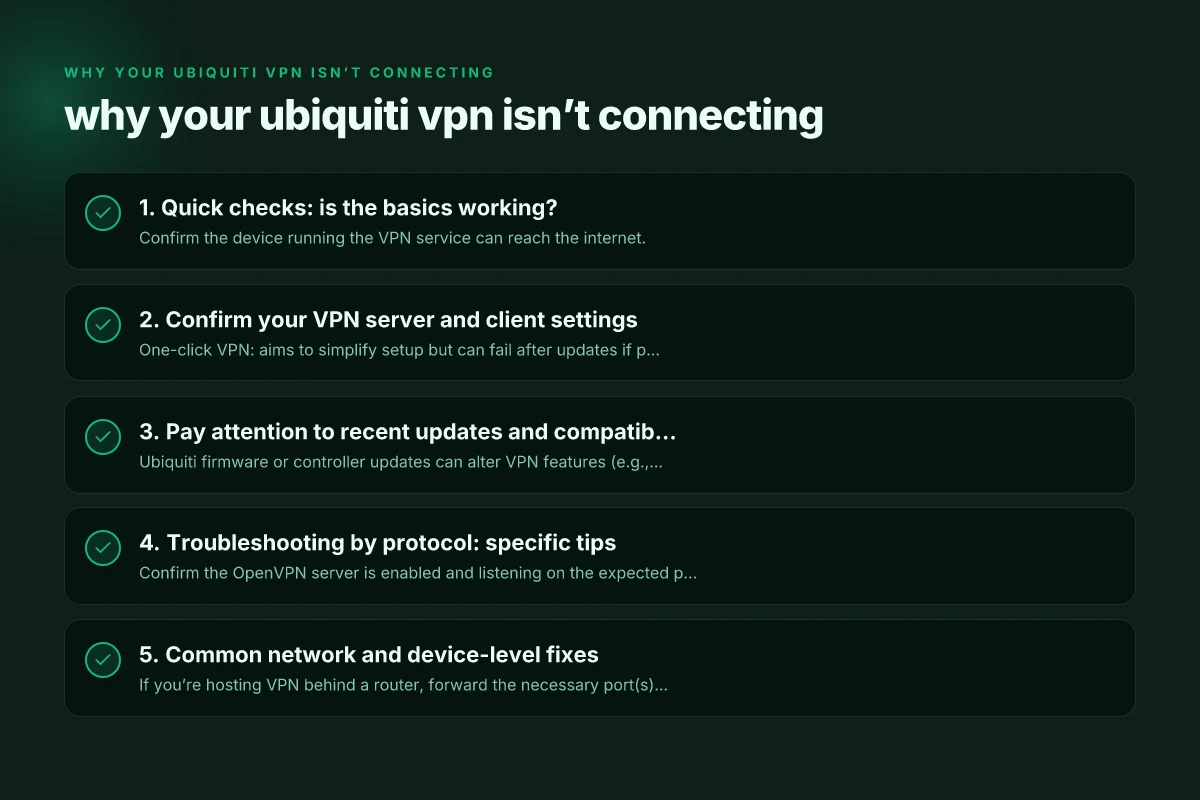
2. Confirm your VPN server and client settings
One-click VPN vs. manual setups
- One-click VPN: aims to simplify setup but can fail after updates if profiles aren’t refreshed.
- Manual VPN (IKEv2, OpenVPN, WireGuard): gives more control. Check server address, port, and protocol.
What to verify
- Server hostname or IP address exactly matches what clients use.
- Correct port numbers for the chosen protocol (e.g., OpenVPN uses 1194 by default; WireGuard uses 51820 typically; IKEv2 often 500/4500).
- Authentication: ensure username/password or certificate/key pairs are valid and not expired.
- Encryption and hash settings should align across server and client.
Real-world decision guide: one-click VPN vs manual VPN approaches
| Approach | Setup time | Maintenance | Control | Security posture | Ideal for |
|---|---|---|---|---|---|
| One-click VPN | Very fast | Low | Low to medium | Medium | Quick access, less config |
| Manual VPN (config files) | Moderate | High | High | High | Power users, strict needs |
| Hybrid approach | Moderate | Medium | Medium to high | Medium to high | Balanced setups |
| Troubleshooting-first mode | Slow initial | Medium | Medium | Medium | Complex issues, precision |
Compiled November 2026; check the provider's site for current details.
3. Pay attention to recent updates and compatibility
Why updates matter
- Ubiquiti firmware or controller updates can alter VPN features (e.g., WireGuard, OpenVPN, or One-Click VPN behavior).
- After updates, previously working profiles may require re-issue or re-import.
What to do
- Check release notes for your UniFi OS version for VPN-related changes.
- Re-create or re-import VPN profiles on both server and client if a mismatch is suspected.
- Ensure client software is compatible with the server’s protocol and version.
4. Troubleshooting by protocol: specific tips
OpenVPN
- Confirm the OpenVPN server is enabled and listening on the expected port.
- Validate that TLS/DTLS settings align. Certificate may be expired or mismatched.
- Check for client certificate or key issues if using certificate-based authentication.
WireGuard
- Verify peer public keys and allowed IPs are correct on both sides.
- Ensure the server’s ListenPort matches the client’s endpoint.
- If using dynamic DNS, confirm domain resolution remains stable.
IKEv2 (manual/manual w/ IKEv2)
- Confirm pre-shared keys or certificates are correct.
- Check IPsec NAT-T enablement if behind a NAT.
- Look for frequent re-auth prompts or dropouts that indicate credential or certificate issues.
5. Common network and device-level fixes
Port forwarding and NAT
- If you’re hosting VPN behind a router, forward the necessary port(s) to the VPN server.
- Make sure UPnP is either consistently configured or disabled if it conflicts with manual rules.
Firewall rules
- Ensure the router and server firewall allow inbound VPN traffic.
- Temporarily disable local firewall on the VPN server to test legitimacy, then re-enable with proper rules.
DNS and domain issues
- If you use a domain name for the VPN server, verify DNS records resolve correctly from the client network.
- Add a direct IP test to rule out DNS resolution problems.
Device-specific considerations
- Some devices block VPN traffic by default. Ensure the VPN client app has the necessary permissions.
- Ensure the client device clock is correct. Time skew can cause certificate validation failures.
6. A practical comparison: one-click VPN vs manual VPN approaches
| Aspect | One-Click VPN | Manual VPN (IKEv2/OpenVPN/WireGuard) |
|---|---|---|
| Setup time | Quick; minimal user input | Longer; requires detailed settings |
| Update sensitivity | Higher; relies on controller/profile refresh | Moderate; depends on protocol/version |
| Control | Limited | High; granular control over ports, keys, and addresses |
| Troubleshooting | Often streamlined; can hide issues | Transparent; issues are easier to diagnose |
| Reliability after updates | Can break if profiles aren’t refreshed | Often robust if configurations are maintained |
Tips for when you must choose
- If you need speed to deploy across many clients, One-Click VPN is convenient, but be ready to reissue profiles after updates.
- For environments with strict firewall rules or custom port requirements, manual VPN approaches often provide a more reliable path.
Protocol-specific tips table
| Protocol | Typical port | Common blockers | Key check | Quick fix | Notes |
|---|---|---|---|---|---|
| OpenVPN | UDP 1194 | ISP blocks, firewall | Certs, keys | Allow port, reissue certs | TLS-based |
| IKEv2 | UDP 500/4500 | NAT, firewall | PSK/certs | Enable NAT-T, correct auth | Mobile-friendly |
| WireGuard | UDP 51820 | Firewall, port blocking | Keys, allowed IPs | Open port, reset peer | Modern, simple |
Compiled November 2026; check the provider's site for current details. How to cancel Proton VPN
7. Real-world issues you might encounter
- VPN not connecting after a controller OS update: re-check profile availability and re-import as needed. Update client apps.
- VPN connections drop but reconnect: check for consistent peer keys, refresh certificates, and test with different networks.
- CGNAT blocking: consider using port-forwarding or a relay/remote-access model that doesn’t require inbound exposure, or switch to a protocol more tolerant of NAT scenarios.
Recommended diagnostic workflow
- Step 1: Verify internet connectivity on both server and client.
- Step 2: Confirm VPN server is running the expected protocol and port. Test with a known-good client.
- Step 3: Check authentication data (credentials, certificates, keys) for validity.
- Step 4: Inspect firewall/NAT rules and any recent network changes.
- Step 5: If issues persist after updates, recreate the VPN profile and re-import on clients.
- Step 6: If CGNAT or ISP constraints are suspected, test on an alternate network and consider protocol changes.
Final section: recommendations
- Document your VPN topology: which server, protocol, ports, and client groups you’re using. This reduces repeat troubleshooting time.
- Keep a small changelog of updates: controller OS, VPN app versions, and certificate expirations.
- When in doubt, switch temporarily to a different protocol (e.g., from OpenVPN to WireGuard) to test for protocol-specific issues.
- If you’re dealing with a larger fleet, automate profile provisioning and monitoring to catch misconfigurations early.
If your ubiquiti vpn isn’t connecting, start with the basics, then methodically work through protocol-specific checks and network constraints. Small misconfigurations or an overlooked update are the most common culprits, and a structured approach will get you back online quickly.
| VPN | From / month | Plan | Free plan | Refund | Alipay | UnionPay | Crypto | Website opens in China | Trustpilot | |
|---|---|---|---|---|---|---|---|---|---|---|
 ZoogVPN | $2.49/mo | 27 months: $59.99 | Yes | 7 days | ✓ | ✓ | ✓ | ✓ | ✓ Yes (2.5 s) | 4.2/5 (195 reviews) |
 NordVPN | $3.49/mo | 27 months: $94.23 | No | 30 days | ? | ✗ | ✓ | ✓ | ✗ Blocked | 4.2/5 (51,628 reviews) |
 ExpressVPN | $3.00/mo | 28 months: $84 | No | 30 days | ✗ | ✗ | ✓ | ✗ | ✗ Blocked | 4.4/5 (29,706 reviews) |
 Surfshark | See site | See site | No | 30 days | ✗ | ✗ | ✗ | ✓ | ✗ Blocked | 4.3/5 (31,823 reviews) |
 Proton VPN | $2.99/mo | 12 months: $35.88 | Yes | 30 days | ✗ | ✗ | ✗ | ✓ | ✓ Yes (2.5 s) | 2.1/5 (1,040 reviews) |
 Astrill VPN | $12.50/mo | 24 months: $300 | No | See site | ✗ | ✗ | ✗ | ✓ | ✗ Blocked | 1.3/5 (110 reviews) |
 Private Internet Access | $2.03/mo | 40 months: $81.2 | No | 30 days | ✗ | ✗ | ✗ | ✗ | ✗ Blocked | 4.2/5 (11,033 reviews) |
 CyberGhost | $2.19/mo | 28 months: $61.32 | No | 45 days | ✗ | ✗ | ✗ | ✓ | ✗ Blocked | 4.0/5 (24,178 reviews) |
 PureVPN | $1.69/mo | 60 months: $101.55 | No | 31 days | ? | ✗ | ✗ | ✓ | ✓ Yes (2.6 s) | 4.4/5 (17,994 reviews) |
 AdGuard VPN | $2.99/mo | 24 months: $71.76 | Yes | 30 days | ✓ | ✗ | ✓ | ✓ | Official site blocked; our special link opens (2.3 s) | 4.3/5 (290 reviews) |
 Mullvad | $5.61/mo | €5/mo | No | 14 days | ✗ | ✗ | ✗ | ✓ | ✗ Blocked | 3.2/5 (192 reviews) |
 Windscribe | $5.75/mo | 12 months: $69 | Yes | See site | ✗ | ✗ | ✗ | ✓ | ✗ Blocked | 4.7/5 (13,355 reviews) |
 StrongVPN | See site | See site | No | 30 days | ✓ | ✗ | ✗ | ✗ | ✗ Blocked | 4.4/5 (2,695 reviews) |
 LightXtreme 闪连 | $7.08/mo | 12 months: $84.99 | Yes | 30 days | ✓ | ✓ | ✓ | ✓ | ✓ Yes (2.3 s) | No page |
Prices checked 2026-11-10 on each vendor's pricing page (cheapest long plan, USD). Check the vendor's checkout for the final price.
Payment methods checked 2026-11-10 on each vendor's payment pages: all 14 take cards and PayPal; ✗ = not listed, ? = the vendor's own pages disagree.
China access: whether the official website opens from mainland China networks (tests the website only, not the VPN connection). Last checked 2026-11-11 04:07 Beijing time.
Trustpilot score and review count checked 2026-11-10.