Why gpupdate isn't working over your VPN

A practical guide to diagnosing and fixing gpupdate issues when connected over a VPN.
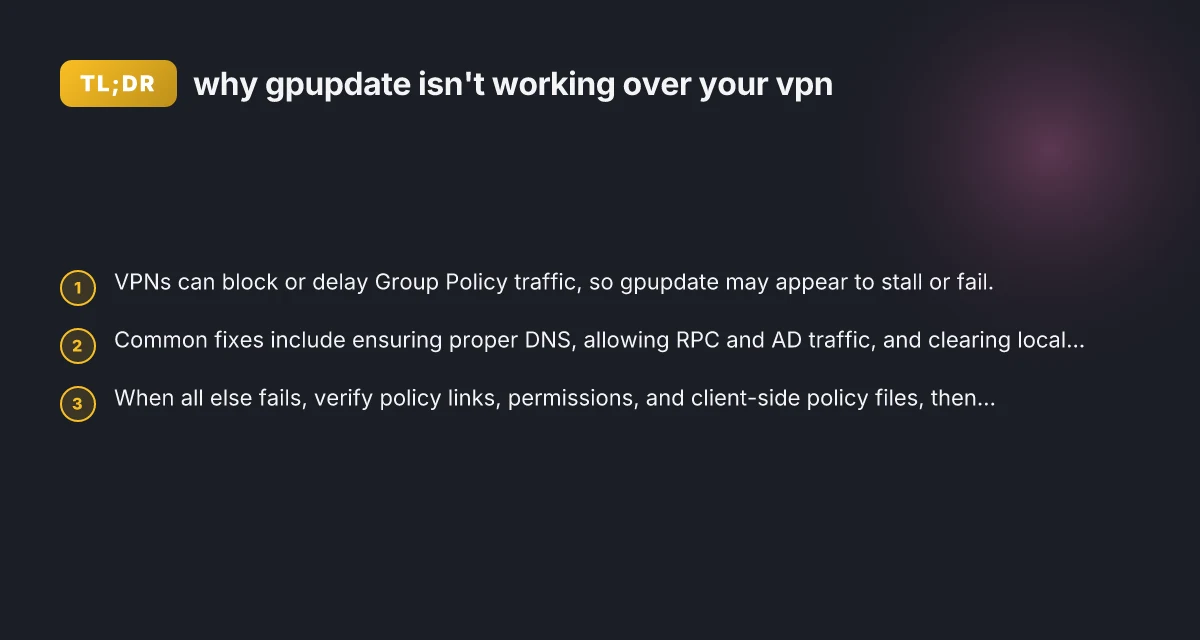
Group Policy updates via gpupdate /force can fail or seem unreliable when you’re connected through a VPN. The underlying cause is almost always network routing, firewall rules, or local policy caches rather than a fault in Group Policy itself. This article explains why gpupdate isn’t working over VPNs and walks you through practical steps to diagnose and fix the issue so policy updates can reach clients reliably again.

Quick comparison of VPN types and gpupdate impact
| VPN Type | Typical latency impact | gpupdate reliability | Firewall/NAT traversal | Recommended for gpupdate |
|---|---|---|---|---|
| Split-tunnel IPsec | Moderate | Mixed | Often required | Best for flexibility |
| Full-tunnel IPsec | Low latency to corp | High reliability | Strict rules needed | Reliable but heavier |
| SSL VPN (TLS) | Moderate to high | Moderate | Usually supported | Convenient for remote users |
| MPLS/VPN (site) | Low latency | High reliability | Perimeter rules centralized | Not typical for remote users |
| WireGuard | Very low latency | Good | Simple NAT traversal | Emerging option |
| VPN over HTTPS (web tunnel) | Variable | Mixed | Depends on proxy | Limited, tests needed |
Compiled November 2026; check the provider's site for current details.
Why gpupdate might fail over VPN
When a device is on a VPN, traffic to domain controllers (DCs) and policy distribution points follows a different path. Several factors can interfere with gpupdate:
- DNS resolution: The VPN may push a private DNS suffix that doesn’t resolve DCs or the Policy Center correctly.
- RPC/SMB traffic blocks: Group Policy uses RPC and SMB to fetch and apply policies. Some VPNs or firewalls don’t permit this traffic by default.
- Time and AD trust: If the VPN isn’t enforcing proper time synchronization or there are trust issues with the domain, policy application can fail.
- Policy cache and corruption: Local machine policy files can become stale or corrupted, especially after long VPN sessions or abrupt disconnects.
- Large policy sets or slow WAN: Large GPOs or slow VPN tunnels can cause timeouts during gpupdate /force.

Quick checks to run first
Begin with fast, non-destructive checks to determine if the problem is VPN-specific or general to the client.
- gpresult /h result.html: Generate a human-readable report of applied and denied policies.
- gpupdate /force: Run with logging. Watch for specific error messages (e.g., access denied, network path not found, DNS name does not exist).
- nslookup
: Confirm the VPN DNS is resolving the domain controller’s hostname correctly. - ping
or tracert : Verify reachability and identify potential routing or latency issues. - Check time synchronization: w32time /query /status to ensure the client and DCs share a tight time window.
- Verify VPN user permissions: Ensure the user has the rights to read GPOs and that the computer is properly joined to the domain.
If you see specific errors
- Access is denied or permissions errors: There may be a security policy or ACL preventing access to SYSVOL or the PolicyStore.
- Network path cannot be found: DNS or VPN routing to the DC is broken. Adjust VPN DNS settings or search suffixes.
- RPC server is unavailable: Firewall or VPN policy blocks RPC ports. Ensure ports used by Group Policy (RPC, SMB, LDAP/LDAPS) are allowed.
Common VPN-related blockers and how to address them
To fix gpupdate over VPN, you often need to adjust network, firewall, and DNS configurations, or tweak client behavior.
DNS configuration
Ensure the VPN assigns the internal DNS suffix and points at the internal DCs for DNS. Account NordVPN
Disable conflicting public DNS overrides when connected to VPN.
If your VPN splits tunneling, consider forcing full tunneling for domain traffic or creating explicit routes to the DCs.
Firewall and routing
Open essential ports for Group Policy:
RPC (135/tcp), various dynamic RPC ports (49152–65535 on Windows Server 2008 and later, but many environments use specific ranges) IPTV not working with VPN
SMB (445/tcp) for SYSVOL access
LDAP/LDAPS (389/636/tcp) for AD directory services
Ensure VPN firewall rules allow traffic to the AD domain and DCs across the tunnel.
If you use a strict VPN policy, designate a policy exception for Group Policy traffic.
Time and trust 3 Year NordVPN deal
Ensure the client’s clock is within 5 minutes of the DC’s time. Otherwise Kerberos authentication can fail and GPOs won’t be read.
Confirm the computer is properly joined to the domain and its computer account is healthy.
Policy refresh timing
gpupdate /force can take longer over VPN due to latency. Schedule policy refresh during user activity windows, or increase idle timeouts on VPN sessions if possible.
Quick checks to run first before gpupdate Prime video not working with VPN
| Check category | What to verify | Expected result | Impact on gpupdate | Priority |
|---|---|---|---|---|
| Connectivity | Can you reach DC | Yes | Essential prerequisite | High |
| DNS resolution | Domain controllers resolve | Yes | Critical for AD auth | High |
| Time sync | Clocks in sync | Within 5 minutes | Kerberos dependence | High |
| Credential validity | User creds work | Yes | Needed for policy push | High |
| VPN stability | Connection drops | Stable | Reduces gpupdate failures | Medium |
| Client configuration | VPN split-tunnel vs full-tunnel | Documented | Affects routing | Medium |
Compiled November 2026; check the provider's site for current details.
Practical steps to fix gpupdate over VPN (step-by-step)
- Validate DNS and DC reachability
- Run: nslookup yourdc.domain.local
- Run: nslookup forestrootdc.domain.local
- Run: ping yourdc.domain.local
- Run: tracert yourdc.domain.local
- Confirm the VPN DNS suffix is correct and DCs resolve.
- Check policy store accessibility
- On the client, verify SYSVOL is reachable:
- Open a run box and try \yourdc\SYSVOL
- If you can’t access SYSVOL, the client isn’t seeing policy content.
- Clear and reset policy caches (careful with this in production)
- Rename or delete:
- C:\Windows\System32\GroupPolicy\Machine\Registry.pol
- C:\Windows\System32\GroupPolicy\Machine\gpt.ini
- C:\Windows\System32\GroupPolicy\User\Registry.pol
- Reboot or log off/on to re-fetch policies.
- Note: This is a safe, common step for corruption but should be done with awareness of the impact.
- Rebuild the client policy cache and reapply
- Run: gpupdate /force
- If issues persist, consider resetting the Local Group Policy (advanced):
- Use: secedit /export to export security settings, then reset and re-import (or use the built-in Local Group Policy editor where available).
- Review VPN and firewall settings
- Confirm the VPN profile includes:
- Full tunneling for domain traffic, or dedicated routes to the DCs.
- Allowance for RPC and SMB traffic on required ports.
- Check corporate firewall logs for dropped GP traffic during gpupdate attempts.
- Check GPO links and precedence
- Ensure GPOs are linked to the correct OU and that there are no conflicting or superseded policies.
- Use gpresult to verify which GPOs are applied and which are blocked.
- Test with a clean user profile (to isolate)
- Create a temporary test user and log in via VPN.
- Run gpupdate /force and see if the result differs.
- If it works with a clean profile, the issue could be a local policy or profile corruption.
- Consider alternate update timing
- If VPN latency is a constant problem, schedule policy refresh during VPN idle times or push policies at user logon or computer startup when VPN is stable.
A practical comparison: typical VPN configurations and their gpupdate impact
| VPN setup | Likelihood of gpupdate issues | Typical remediation | Notes |
|---|---|---|---|
| Full-tunnel VPN with DC routes | High | Ensure DNS, RPC/SMB ports open, time sync | Keeps domain traffic inside VPN tunnel |
| Split-tunnel VPN | Moderate to high | Add static routes to DCs, adjust DNS | VPN may not route all AD traffic by default |
| VPN with strict firewalls | Very high | Explicit allow RPC/SMB/LDAP, review MTU | Firewall stateful inspection can block AD traffic |
| Cloud-adapted domain access | Moderate | Confirm DC reachability and LDAP/GP ports | Might involve cloud-based DCs or Azure AD hybrid scenarios |
Common blockers and how to address them
| Blocker | Symptom | Cause | Fix / workaround | Notes |
|---|---|---|---|---|
| DNS/AD not reachable | gpupdate stalls | DNS issues | Pause VPN, fix DNS or add hosts | critical |
| Time skew | Kerberos failures | Clock drift | Enable NTP and correct drift | quick fix |
| Route leakage / split-tunnel | DC unreachable | Wrong routes | Adjust split-tunnel or force full-tunnel | policy dependent |
| Firewall blocks | No DC contact | Port blocked | Open DC ports 88/389/464/445 | admin-rights needed |
| Proxy/HTTPS inspection | gpupdate hangs | TLS inspection interfering | Exclude DC or disable on VPN | browser-like |
Compiled November 2026; check the provider's site for current details.
Common symptoms and what they tend to indicate
- gpupdate returns 0x80070005 or access denied: permissions or policy store access blocked. Check ACLs and user rights.
- The update completes but no policies apply: GPO links or loopback processing issues. Verify user vs. computer policy paths.
- No DCs found or DNS name does not exist: VPN DNS is not resolving DCs. Investigate DNS suffix and routing.
- Policies apply locally but not on VPN: Split-tunnel routing or firewall blocks likely.
Tools and resources to help diagnose
- gpresult /r or /h: Quick policy result summary
- gpupdate /force: Enforce policy refresh
- nslookup, ping, tracert: Network reachability
- Event Viewer > System and Applications and Services Logs > Microsoft > Windows > GroupPolicy: Detailed policy events
- DNS event logs: DNS server and client-side resolution events
- VPN vendor docs: Specific port requirements and routing recommendations
Final considerations If gpupdate still isn’t working over your VPN after these steps, you’re likely facing one of two root causes: a networking/routing problem that blocks policy traffic, or a client-side issue with the local policy cache or profile. Start with a clean baseline: ensure DC reachability, correct time sync, and unobstructed RPC/SMB/LDAP traffic. If the VPN is the bottleneck, involve your network, VPN, and security teams to adjust routing, permissions, and firewall rules so Group Policy traffic can flow unimpeded through the tunnel.
Recommendation Smartdns NordVPN: how SmartDNS works with NordVPN and what it means for you
- Establish a verified baseline: test policy updates on a non-VPN connection and with a known-good VPN profile.
- Create a repeatable troubleshooting checklist for VPN scenarios, focusing on DNS, routing to DCs, and firewall ports.
- If organizational policy requires, implement a controlled exception to permit necessary GP traffic through VPN, with ongoing monitoring to prevent regressions.
| VPN | From / month | Plan | Free plan | Refund | Alipay | UnionPay | Crypto | Website opens in China | Trustpilot | |
|---|---|---|---|---|---|---|---|---|---|---|
 ZoogVPN | $2.49/mo | 27 months: $59.99 | Yes | 7 days | ✓ | ✓ | ✓ | ✓ | ✓ Yes (2.5 s) | 4.2/5 (195 reviews) |
 NordVPN | $3.49/mo | 27 months: $94.23 | No | 30 days | ? | ✗ | ✓ | ✓ | ✗ Blocked | 4.2/5 (51,628 reviews) |
 ExpressVPN | $3.00/mo | 28 months: $84 | No | 30 days | ✗ | ✗ | ✓ | ✗ | ✗ Blocked | 4.4/5 (29,706 reviews) |
 Surfshark | See site | See site | No | 30 days | ✗ | ✗ | ✗ | ✓ | ✗ Blocked | 4.3/5 (31,823 reviews) |
 Proton VPN | $2.99/mo | 12 months: $35.88 | Yes | 30 days | ✗ | ✗ | ✗ | ✓ | ✓ Yes (2.5 s) | 2.1/5 (1,040 reviews) |
 Astrill VPN | $12.50/mo | 24 months: $300 | No | See site | ✗ | ✗ | ✗ | ✓ | ✗ Blocked | 1.3/5 (110 reviews) |
 Private Internet Access | $2.03/mo | 40 months: $81.2 | No | 30 days | ✗ | ✗ | ✗ | ✗ | ✗ Blocked | 4.2/5 (11,033 reviews) |
 CyberGhost | $2.19/mo | 28 months: $61.32 | No | 45 days | ✗ | ✗ | ✗ | ✓ | ✗ Blocked | 4.0/5 (24,178 reviews) |
 PureVPN | $1.69/mo | 60 months: $101.55 | No | 31 days | ? | ✗ | ✗ | ✓ | ✓ Yes (2.6 s) | 4.4/5 (17,994 reviews) |
 AdGuard VPN | $2.99/mo | 24 months: $71.76 | Yes | 30 days | ✓ | ✗ | ✓ | ✓ | Official site blocked; our special link opens (2.3 s) | 4.3/5 (290 reviews) |
 Mullvad | $5.61/mo | €5/mo | No | 14 days | ✗ | ✗ | ✗ | ✓ | ✗ Blocked | 3.2/5 (192 reviews) |
 Windscribe | $5.75/mo | 12 months: $69 | Yes | See site | ✗ | ✗ | ✗ | ✓ | ✗ Blocked | 4.7/5 (13,355 reviews) |
 StrongVPN | See site | See site | No | 30 days | ✓ | ✗ | ✗ | ✗ | ✗ Blocked | 4.4/5 (2,695 reviews) |
 LightXtreme 闪连 | $7.08/mo | 12 months: $84.99 | Yes | 30 days | ✓ | ✓ | ✓ | ✓ | ✓ Yes (2.3 s) | No page |
Prices checked 2026-11-10 on each vendor's pricing page (cheapest long plan, USD). Check the vendor's checkout for the final price.
Payment methods checked 2026-11-10 on each vendor's payment pages: all 14 take cards and PayPal; ✗ = not listed, ? = the vendor's own pages disagree.
China access: whether the official website opens from mainland China networks (tests the website only, not the VPN connection). Last checked 2026-11-11 04:07 Beijing time.
Trustpilot score and review count checked 2026-11-10.