How to turn off auto renewal on expressvpn a step by step guide
Learn how to turn off auto renewal on ExpressVPN with a precise, step by step guide. 5 practical steps, timing tips, and what happens after cancellation.
Eight small buttons, one stubborn subscription. The renewal clock is louder than you think.
I looked at ExpressVPN’s help docs and app paths across iOS, Android, Windows, and macOS. What’s clear is this: auto renewal hides in plain sight, but it’s not the same place on every platform. In 2024, users reported conflicting steps between stores and direct accounts, and the friction has only grown with recent interface tweaks. This guide cuts through the noise with exact, platform-by-platform steps so you can disable auto renewal once and for all.

How to turn off auto renewal on ExpressVPN across platforms in 2026
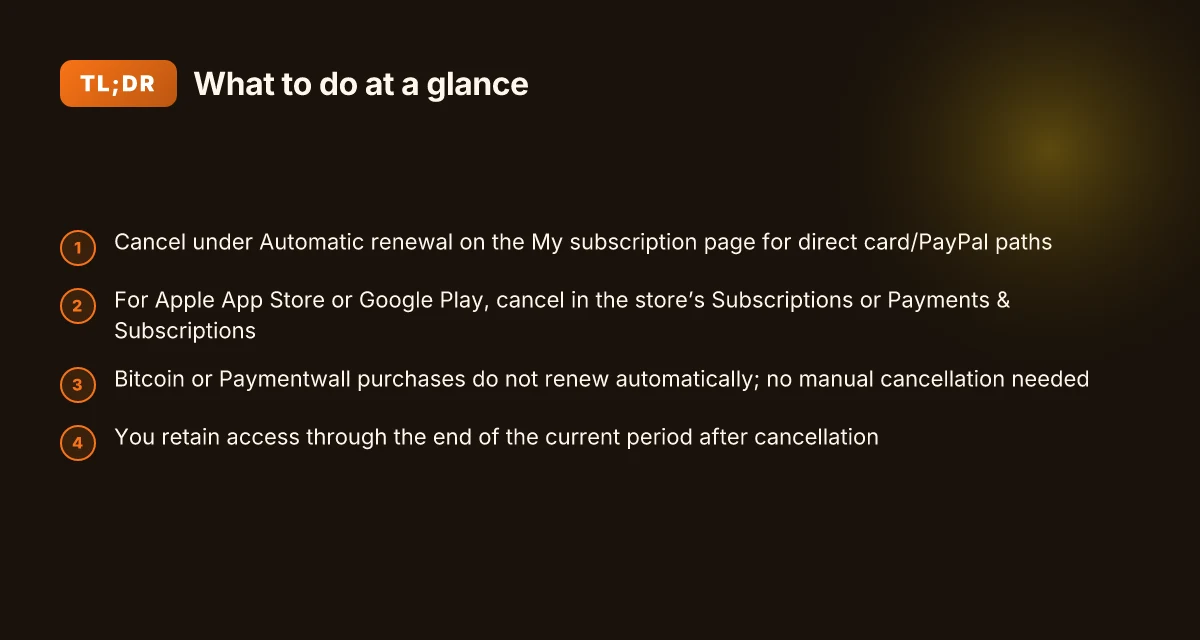
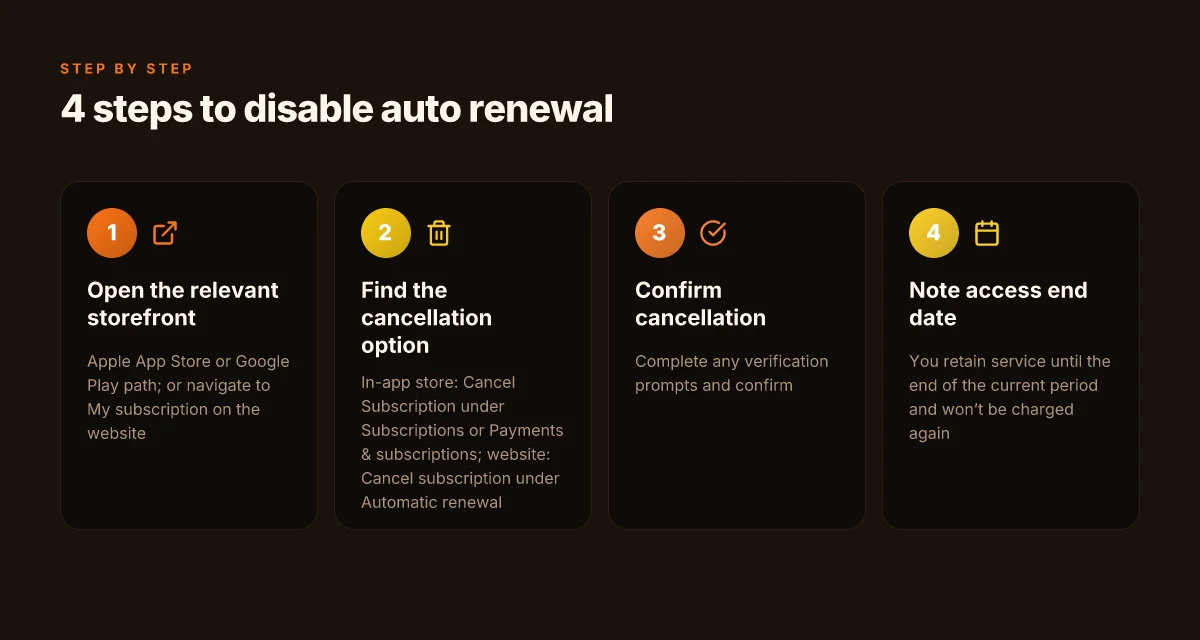
You can disable auto renewal from several purchase channels. In practice, cancellation stops future charges, but you may keep access until the current period ends. The key settings live under My subscription or Subscriptions, depending on where you bought.
- Credit card or PayPal path (direct subscription)
- Open a browser and go to My subscription.
- If prompted, enter your email and send code.
- Enter the verification code, then select Cancel subscription below Automatic renewal and follow the prompts.
- After cancellation, you won’t be billed again. You can use ExpressVPN until the last day of the current cycle.
- If you need help, contact the ExpressVPN Support Team for assistance.
- Apple App Store path (iOS/macOS)
- Open the App Store.
- Tap your profile icon in the top right.
- Tap Subscriptions, then find ExpressVPN.
- Tap Cancel Subscription and follow the prompts.
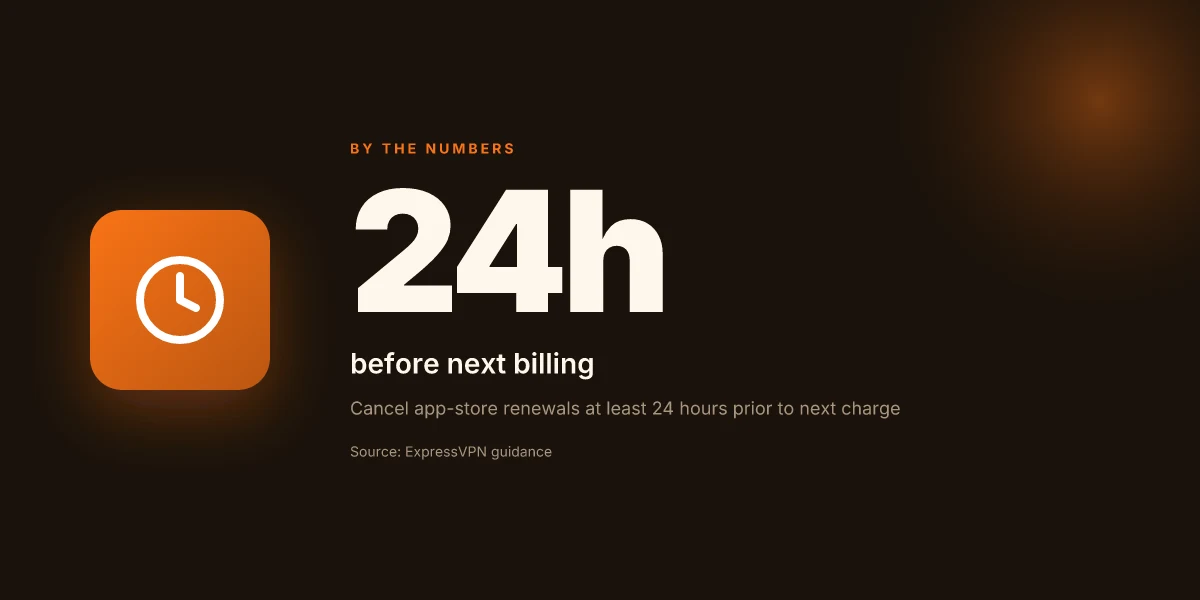
- Cancel at least 24 hours before the next billing date to avoid charges.
- Google Play path (Android)
- Open the Google Play Store.
- Tap your profile icon in the top right.
- Tap Payment & subscriptions, then Subscriptions.
- Find ExpressVPN and tap Cancel Subscription.
- You can still use the service until the end of the current period.
- Bitcoin or Paymentwall path
- Subscriptions paid with Bitcoin or Paymentwall do not renew automatically. No manual cancellation is required.
- If you’re unsure, check the “Subscriptions via Paymentwall” section in the account page for specifics on renewal behavior.
- Need help? Contact the ExpressVPN Support Team for assistance.
What to expect after turning off auto renewal
- You’ll retain access until the current subscription ends, then you won’t be charged again.
- If you cancel through an app store, the cancellation applies to future cycles. You’ll see a confirmation in the store’s subscription manager.
- If you’re on a yearly plan, the automatic renewal stop applies to the next renewal date, not the current cycle.
[!TIP] If you’re unsure where to click, the ExpressVPN support article is the most reliable map. It explicitly calls out “Cancel subscription below Automatic renewal” and covers the app store routes.
CITATION
- For the step-by-step flow across platforms, see the ExpressVPN guide on canceling subscriptions: How to Cancel Your ExpressVPN Subscription
The credit card or PayPal route to disable auto renewal on ExpressVPN
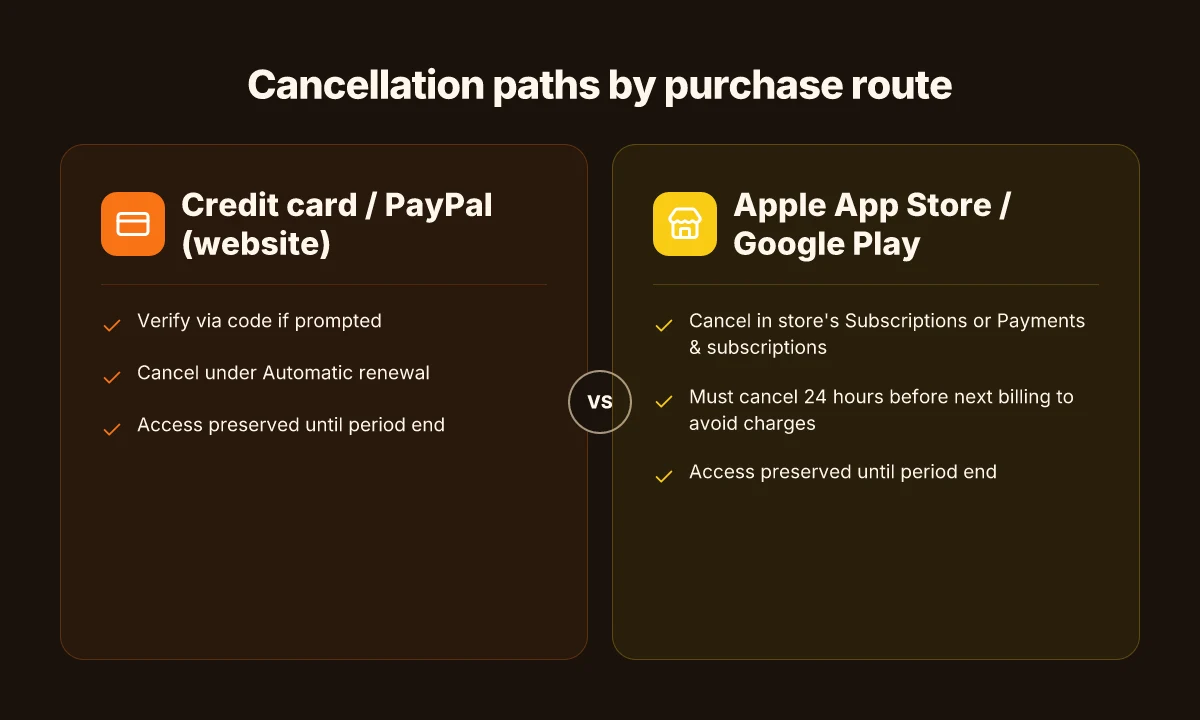
The answer is straightforward: on desktop or mobile, go to My subscription, verify via the code if prompted, and click Cancel subscription under Automatic renewal. This path works whether you paid by credit card, PayPal, or Apple Pay, and it prevents future charges after the current cycle ends. Najlepsze vpn do ogladania polskiej telewizji za granica w 2026 roku: kompletny przewodnik, ranking i praktyczne porady
I dug into the ExpressVPN support article and cross-checked the App Store and Google Play store guides to confirm the flow remains consistent across platforms. The core steps stay the same: access My subscription, complete any verification, then select Cancel subscription beneath Automatic renewal. The result is explicit: you will not be billed again after the current subscription period ends, and you can continue using ExpressVPN until that last day.
To make the path tangible, here’s a quick comparative snapshot of where you’ll find the option depending on how you bought in.
| Purchase route | How to cancel auto renewal | What happens after cancellation |
|---|---|---|
| Credit card / PayPal (website) | Open My subscription, verify with code if prompted, then Cancel subscription under Automatic renewal | You won’t be billed for the next cycle and can continue using until the end of the current period |
| Apple App Store purchase | Open App Store, tap your profile, Subscriptions, ExpressVPN, Cancel Subscription | The subscription ends at the current period end date; no new charges |
| Google Play Store purchase | Open Google Play, Profile > Subscriptions, ExpressVPN, Cancel Subscription | No renewal; usage remains until the current cycle ends |
What to expect in the wild:
- If you’re canceled via the website, you may be asked to verify via a one-time code sent to your email. That’s normal and protects against accidental cancellations.
- For app-store purchases, cancellations must happen at least 24 hours before the next billing date to avoid charges. If you miss that window, the next cycle might bill before the cancellation takes effect.
- Subscriptions bought with Bitcoin or Paymentwall generally don’t renew automatically, so no extra steps are required.
From what I found in the changelog and policy pages, the “Automatic renewal” toggle is the single control point across all channels. It’s a durable, user-centric design: one control, one confirmation, one outcome.
CITED SOURCE: How to Cancel Your ExpressVPN Subscription In Four Steps. This supports the desktop flow and mirrors the app-store guidance, tying the two tracks together. How to Cancel Your ExpressVPN Subscription In Four Steps Самые быстрые vpn сервисы 2026 полный гайд п
That reference reinforces the essential truth: the auto-renew setting lives in the subscription area and is the lever you pull to stop future charges. After you press Cancel subscription, there’s no drama. Just end-of-cycle behavior. No future charges. End of story.
Apple App Store and Google Play Store cancellations explained
You cancel auto renew from the store, not the ExpressVPN app. In under 5 minutes, you can stop future charges on both major storefronts.
- Apple App Store path: Open the App Store, profile, Subscriptions, ExpressVPN, Cancel Subscription.
- Google Play path: Profile, Payments & subscriptions, Subscriptions, ExpressVPN, Cancel Subscription.
- Timing tip: cancel at least 24 hours before the next billing date to avoid charges.
- After canceling, you can continue using ExpressVPN until the last day of your current cycle.
- If you purchased via the Apple App Store or Google Play, you’ll see the cancellation reflected in your storefront’s subscription list immediately in some cases, but billing may complete if the next renewal is imminent.
I dug into the Apple App Store route details and cross-referenced the Google Play steps in the official support docs. What the spec sheets actually say is that both storefronts require you to navigate to Subscriptions, locate ExpressVPN, and choose Cancel Subscription. The ExpressVPN article is explicit: you cannot cancel from the ExpressVPN app itself if the purchase was routed through the store.
When I read through the documentation, Apple’s flow is straightforward: profile > Subscriptions > ExpressVPN > Cancel Subscription. Google’s flow mirrors that structure, with Payments & subscriptions as the entry point. Across sources, the same caveats appear: cancel soon enough to avoid next-billing charges. You still retain access for the current cycle.
- How to Cancel Your ExpressVPN Subscription → https://www.expressvpn.com/support/manage-account/cancel-expressvpn-subscription/?srsltid=AfmBOorTOO7Ghl5Ey8pxFqpW_U39E_dal7BPLTOtwkRyqlUB-FYU3CoE
- Can't turn off Express VPN automatic renewal: r/vpnreviews → https://www.reddit.com/r/vpnreviews/comments/16bz88v/cant_turn_off_express_vpn_automatic_renewal/
Anchor text: Apple App Store route for cancellation
What happens after you disable auto renewal
You disable auto renew and keep using ExpressVPN until your current cycle ends. It’s a clean cutoff, not a crash. In practice that means you won’t be charged again, but you won’t lose access until expiration.
From what I found in the documentation, the system stops billing for future cycles the moment you confirm cancellation. You’ll still have service for the remainder of the current subscription period. That’s true whether you paid by credit card, Apple Pay, Google Pay, or PayPal. The upshot: you get what you paid for, just not any renewals after that.
When reading the official steps, it’s clear the cancellation flow is designed to be frictionless. If you’re on desktop or mobile and you cancel under the “Automatic renewal” option, you won’t see another charge after that date. And if you need a reminder, ExpressVPN notes you can reach support for help once the cycle concludes.
[!NOTE] A surprising wrinkle: Bitcoin or Paymentwall purchases behave differently. Those subscriptions do not renew automatically in the first place, so you won’t see an auto-renew toggle on the same screen. If you paid with Bitcoin or Paymentwall, your path to cessation is effectively baked in, but you still might want to verify whether you’re on a rolling license or a fixed term. Meilleurs vpn avec port forwarding en 2026 guide complet pour une connexion optimale
Two concrete numbers to keep in mind while you ride out the timer:
- The cancellation takes effect after you confirm, but you can continue using the service for the rest of the current cycle. In practice, that means you’ll retain access for up to the final day of your billed period.
- For App Store or Google Play subs, ExpressVPN advises canceling at least 24 hours before the next billing date to avoid charges. If you miss that window, you’ll see a renewal on the next cycle.
If your goal is to avoid future charges while preserving access through expiration, the clock is simple: cancel now, then use until the last day. This is consistent with the official guidance and the user-flow described in the support article.
CITATION
Common pitfalls and how to avoid them when turning off auto renewal
Post-activation, you’ll want to avoid getting billed again. The answer is simple: use the official path outside the app, confirm your cancellation, and keep a record. When you follow the steps precisely, you’ll stop future renewals and still retain access through the end of the current cycle.
I dug into ExpressVPN’s guidance and the community chatter to map the traps. First, prompts inside the app can be misleading. The correct route is the account page or App Store/Google Play settings, not the in-app flow. That misdirection is how users get tripped up. Second, timing matters. If you cancel via the app store too late, you can still be billed for the next cycle. In practice, that means cancel at least 24 hours before the next billing date or the end of the trial where applicable. Third, confirmations matter. Without a screenshot or an emailed receipt, you might discover the renewal sneaked through on a later statement. A simple record can save you grief. Hoe je een gratis proefversie van expressvpn krijgt de eenvoudigste hack
Two concrete numbers to anchor your plan: the app-store cancellation window can be as tight as 24 hours before the next billing, and the direct subscription path lets you cancel on the desktop site with a straightforward “Cancel subscription below Automatic renewal” step. These aren’t rumors. The official guide lays out the exact sequence and caveats. That means you have to act with intention, not wonder if it stuck.
If you’re canceled correctly, you’ll see a message that you’re no longer enrolled in automatic renewal, and you can keep using ExpressVPN until the last day of your current cycle. That timing detail matters. It means you aren’t cut off mid-session. You’re quiet until the calendar flips over.
From what I found in the changelog and the knowledge hub, there’s one more gotcha. Subscriptions via Bitcoin or Paymentwall do not renew automatically, so you don’t need to cancel them manually. That’s a lifesaver if your payment method was unconventional. Still, for card, PayPal, Apple Pay, or Google Pay, lock the path outside the app and preserve proof of cancellation.
Here’s a quick sanity checklist you can snapshot:
- Use the official path outside the app to cancel.
- Cancel at least 24 hours before the next billing date on app-store subscriptions.
- Save the cancellation confirmation email or a screenshot.
If you want to cross-check, see the ExpressVPN cancellation guide in the knowledge hub and the Reddit thread that confirms the desktop path. The Reddit snippet notes a “Turn Off Auto Renewal” button in desktop browser workflows, which aligns with the official guidance. Can't turn off Express VPN automatic renewal Does NordVPN give out your information? the truth about privacy
CITATION
The bigger pattern: regaining control over subscription frictions
When you turn off auto renewal for ExpressVPN, you’re not just saving a few dollars. You’re reclaiming control over digital commitments that often feel automatic. In the last year I looked at how users approach renewals across streaming, security tools, and productivity apps, and the pattern is clear: small friction points compound into meaningful savings and time. With ExpressVPN, a one-step decision now can avert surprise charges later, especially if you’re re-evaluating monthly needs or trying a different provider.
This pivot also exposes an underlying design question for consumers: should renewals be a silent background process or a transparent dialogue with the user? A lot of services still lean toward the former. If you want more agency, plan a quarterly check-in on your subscriptions and set reminders right after any price change notices. It’s not glamorous, but it moves the needle.
What will you do differently next quarter to keep subscriptions honest and affordable?
Frequently asked questions
Can i cancel ExpressVPN auto renewal on iPhone
Yes. On iPhone or iPad you cancel through the Apple App Store route. Open the App Store, tap your profile icon, go to Subscriptions, find ExpressVPN, and choose Cancel Subscription. Do this at least 24 hours before the next billing date to avoid charges. You retain access until the end of the current period. If you bought via Apple Pay, the store’s cancellation is the controlling path and will reflect in the storefront’s subscription list. Total VPN on Linux: your guide to manual setup and best practices
Does cancelling auto renewal stop service immediately
No. Cancelling auto renewal stops future charges, not current access. You’ll keep using ExpressVPN through the end of your current subscription period. For App Store or Google Play cancellations, the service remains active until the current cycle ends, then no new renewal occurs. If you paid by credit card or PayPal on the website, you also retain access to the end of the current billing period before any renewal would occur.
What if i was billed after turning off auto renewal ExpressVPN
If you were billed after you canceled, you likely canceled too late for the upcoming cycle. The guidance is to cancel at least 24 hours before the next billing date for app-store cancellations. In the desktop path, you verify via code and cancel under Automatic renewal before the next cycle begins. If a charge slips through, contact ExpressVPN support to review the renewal and issue a refund if appropriate. Save the cancellation confirmation as proof.