Is Proton VPN slow

A practical guide to understanding Proton VPN speeds, common causes, and how to optimize performance.
Is Proton VPN slow? Understanding and fixing VPN speed issues
If you’ve just started using Proton VPN and notice slower-than-expected internet speeds, you’re not alone. VPNs inherently add some overhead because your traffic is routed through secure tunnels and remote servers. Proton VPN is designed to balance security, speed, and reliability, but speeds can vary widely based on several factors. This guide explains why Proton VPN might feel slow and offers practical steps to reclaim faster browsing, streaming, and downloading.

Speed factors overview
| Factor | Typical impact on speed | Proton VPN relevance | Notes |
|---|---|---|---|
| Server distance | High | Moderate | farther servers usually slower |
| Server load | High | Yes | crowded servers slow |
| Protocol choice | High | Yes | UDP usually faster than TCP |
| Encryption level | Medium | Yes | stronger = slight overhead |
| VPN protocol vs. app route | Medium | Yes | split tunneling helps speed |
| Local network | High | No | ISP throttling, Wi‑Fi quality |
| Device performance | Medium | No | CPU limits, battery saver |
| Background apps | Medium | No | other apps use bandwidth |
| Disk/RAM usage | Low | No | device constraints |
| Ping latency | High | Yes | lower latency improves feel |
Compiled November 2026; check the provider's site for current details.
Why VPN speeds vary and what “slow” means
VPN speed is influenced by multiple moving parts:
- Server location and load: The farther you are from the VPN server, the more latency (ping) you’ll experience. If many users share a server, speeds can dip.
- Protocol and encryption: Different protocols (for example, WireGuard, OpenVPN) and encryption levels affect throughput. WireGuard is typically faster and more stable than older protocols.
- Your baseline connection: If your home or office internet is slow to begin with, the VPN won’t magically exceed that limit.
- Device and network conditions: Wi‑Fi interference, router limits, and background apps can impact speed measurements.
- Network throttling or firewall rules: Some ISPs or networks restrict VPN traffic, or certain ports might be blocked.
To set expectations: Proton VPN generally aims to deliver solid speeds for everyday tasks, with premium users able to leverage faster servers and protocols. However, if you’re troubleshooting a slow experience, it’s usually fixable with a few deliberate steps.

Start with the basics: pick the right server and protocol
Two of the most impactful levers are server choice and protocol selection.
Server selection
- Nearby servers often give the best results due to lower latency.
- If nearby servers are overloaded, try a slightly farther one that has lighter traffic.
- Turn on the Auto-Connect or “Fastest” option, but don’t rely on it exclusively. Manually testing a handful of servers can reveal the best performer at any given moment.
Protocol choice
- WireGuard-based protocols tend to offer higher speeds and better stability on most networks.
- OpenVPN (UDP) can be more compatible in restrictive networks but may be slower.
- Proton VPN also supports OpenVPN (TCP), which can be useful for certain networks but often slower than UDP variants.
- If you’re not sure, start with WireGuard, test speeds, then try OpenVPN UDP if needed.
Practical tip: Use Proton VPN’s built-in speed tests or switch between “Fastest” and manual server selections to compare real-world results. A 10–20% speed difference between servers is common.
Server and protocol decision guide Azure download VPN client not working
| Scenario | Recommended action | Proton VPN relevance | Expected outcome | Quick tip |
|---|---|---|---|---|
| Need speed for streaming | Pick fastest nearby server, UDP (WireGuard) | Yes | Faster, lower latency | Sort by latency and load |
| Travelling country with blockages | Use obfuscated/Stealth protocol | Yes | Access without blocks | Check Obfuscated/Stealth options |
| On metered connection | Enable Auto Disconnect when idle | No | Saved data | Enable Kill Switch with idle detection |
| High privacy but moderate speed | WireGuard with nearby server | Yes | Balanced speed/privacy | Avoid slower protocols like OpenVPN |
| Busy home network | Use split tunneling for light apps | Yes | Reduced VPN overhead | Route only needed apps via VPN |
| Long video conference | Use nearby server, UDP, 2–4 hops max | Yes | Lower jitter | Prefer low-latency regions |
Compiled November 2026; check the provider's site for current details.
How to optimize speed: settings and habits that help
Small changes can yield noticeable improvements without sacrificing security.
Optimize connection options
- Enable “Best servers in your location” or similar geofence-aware options so the client prioritizes low-latency endpoints.
- Turn off features you don’t need (like extra security overlays) if you’re on a fast, trusted network.
- Ensure you’re using the latest Proton VPN client. Updates include performance and bug fixes that can affect speed.
Protocol and port considerations
- If you’re in a network with restrictive firewalls, try switching from WireGuard to OpenVPN UDP (or vice versa) to see which performs better.
- Some networks block certain ports. Let Proton VPN attempt different ports automatically, or manually select ports if the app supports it.
Device and app hygiene
- Close background apps that consume bandwidth (cloud sync, streaming, large downloads).
- Pause or schedule large updates when you’re connected to the VPN only for essential tasks.
- If you’re on a mobile device, disable battery-saving modes that throttle network activity and background processes.
Time-of-day and server load
- VPN speeds can dip during peak usage times on certain servers. If you experience slowdown at specific times, trial different time windows to identify a faster window.
Split tunneling (where available)
- Some Proton VPN configurations allow split tunneling, meaning only certain apps use the VPN while others bypass it. This can improve perceived speed for non-sensitive tasks, but be mindful about security implications.
Common scenarios and targeted fixes
Here are typical situations and concrete steps to take.
- Scenario: Slow overall browsing with Proton VPN on. Actions:
- Switch to a WireGuard-based server in your region.
- Test 3–5 nearby servers to see which has the best throughput.
- Ensure you’re not on a throttled or congested network, and try a different time of day.
- Scenario: Slow streaming or video conferencing. Actions:
- Pick a server optimized for streaming if available.
- Keep protocol to WireGuard. Disable any QoS rules on your router that prioritize non-VPN traffic.
- Lower the video quality to reduce bandwidth demand if needed.
- Scenario: Slow torrenting with Proton VPN Plus (or similar features). Actions:
- Some VPNs throttle P2P on certain servers. Check Proton VPN’s server list for P2P-friendly endpoints.
- Use UDP OpenVPN/WireGuard where allowed. Ensure port settings don’t block P2P.
- Ensure your torrent client uses encryption and doesn’t leak traffic outside the VPN.
Practical speed-checking checklist
| Step | Action | Expected check | Tool / metric | Frequency |
|---|---|---|---|---|
| 1 | Run baseline without VPN | Baseline Mbps | Speedtest.net | Once a week |
| 2 | Connect to closest server | Latency drop | Ping, traceroute | Each session |
| 3 | Compare protocols | Mbps with WireGuard vs OpenVPN | Speedtest | Monthly |
| 4 | Test different servers | Best latency and speed | Speedtest, server list | Per change |
| 5 | Check idle vs load | Server load indicator | Proton VPN UI | Per session |
| 6 | Enable Kill Switch | Disconnect if VPN drops | Functionality check | Quarterly |
Compiled November 2026; check the provider's site for current details. How to whitelist websites on NordVPN
A practical speed-checking approach
To reliably measure Proton VPN impact, adopt a simple, repeatable testing routine:
- Baseline test: Run a speed test without the VPN to establish your home speed.
- VPN test: Connect to a few different servers and protocols (at least 3–4 combinations), then run the same speed test for each.
- Record results: Note latency (ms), download/upload speeds (Mbps), and consistency over a minute or two.
- Compare: Look for a clear winner (highest stable you can maintain) and use that configuration as your default.
- Re-test after updates: Proton VPN releases can adjust performance. Re-test after app updates or server changes.
Open-source or third-party tools aren’t strictly necessary, but some users prefer to measure latency to known endpoints (like a nearby speed test server) for more apples-to-apples comparisons.
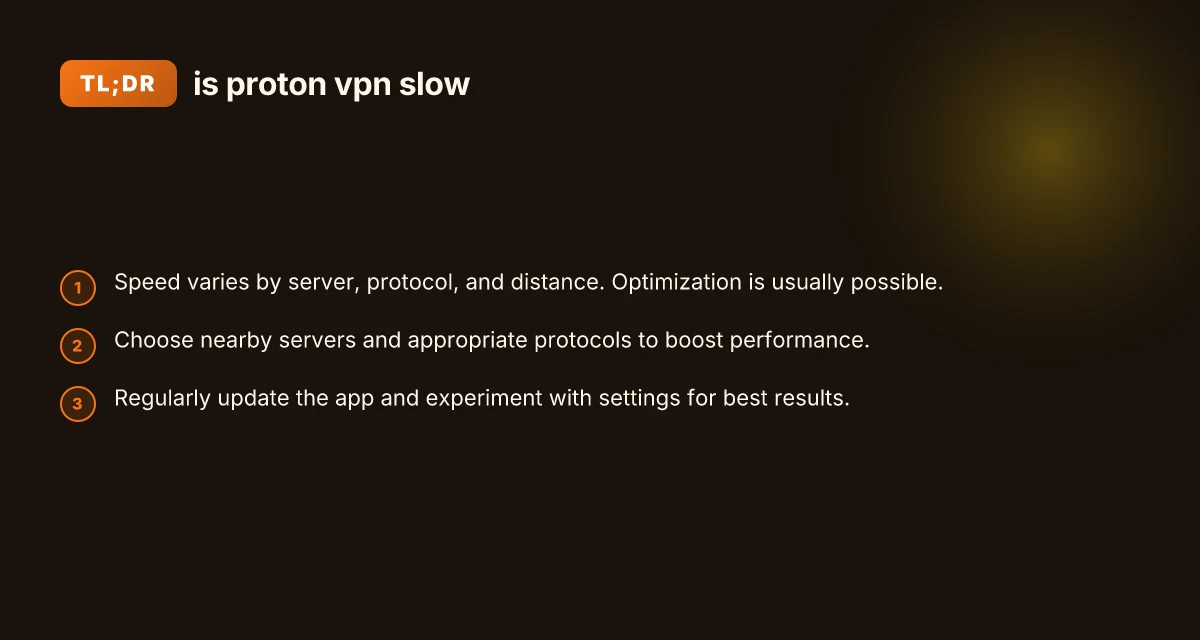
A quick comparison: Proton VPN speed factors at a glance
| Factor | How it affects speed | Quick fixes |
|---|---|---|
| Server distance | Higher latency with far servers | Move to closer servers; test several nearby options |
| Server load | Congestion lowers throughput | Try less loaded servers, switch during peak times |
| Protocol | WireGuard usually fastest; OpenVPN may be slower | Switch between WireGuard and OpenVPN UDP/TCP |
| Encryption overhead | Higher cryptographic load can reduce speed | Use default, secure settings; choose faster protocol if acceptable |
| Local network | Wi‑Fi interference, router QoS | Improve Wi‑Fi signal, reboot router, test wired if possible |
| ISP or firewall | VPN traffic shaping or blocks | Change ports, use different protocol, or test on a different network |
Quick comparison at a glance: Proton VPN speed factors
| Factor | Impact on speed | Proton VPN capability | Best practice | Quick takeaway |
|---|---|---|---|---|
| Protocol (WireGuard) | High gain | Supported | Prefer for speed | WireGuard fastest |
| OpenVPN | Moderate | Supported | Use only if needed | Slower than WireGuard |
| Server load | High impact | Visible in UI | Choose low-load server | Load matters more than distance |
| Server distance | Medium impact | Visible in UI | Shorter distance preferred | Proximity helps |
| Kill Switch | Low direct impact | Yes | Ensure enabled | Protects vs leaks |
| Split tunneling | Medium impact | Yes | Route only essentials | Improves speed for others |
| Obfuscated/Stealth | Impact varies | Yes | For censored networks | May reduce speed |
Compiled November 2026; check the provider's site for current details.
What Proton VPN itself says and practical guidance
Proton VPN’s own guidance emphasizes that speed increases are often possible by changing servers, adjusting protocol, or updating the app. In addition, they acknowledge that heavy server load and distance are common culprits. The official support pages suggest trying “increase VPN speeds” steps: NordVPN Canada: what to know, costs, and what it means for Canadian users
- Switch servers
- Try different protocols
- Update Proton VPN client
- Reconnect after a short pause
If you’re still seeing slow speeds after trying these steps, there may be a more nuanced factor at play, such as a temporary server issue or a local network anomaly. In many cases, a few minutes to an hour of reconfiguration will yield measurable improvements.
Common questions people ask
- Q: Why is my Proton VPN so slow? A: Often due to server distance, server load, or protocol choice. Changing to a closer server and a faster protocol (like WireGuard) usually helps. Network conditions and device performance also play a role.
- Q: Why is Proton VPN Free so slow? A: Free variants generally have more user load and fewer resources allocated per user than paid tiers. Upgrading to Proton VPN Plus or higher can provide access to faster servers and better throughput.
- Q: Is Proton VPN speed good? A: For many users, yes, particularly when choosing near, low-load servers and the WireGuard protocol. Your mileage may vary based on network conditions and device capabilities.
- Q: Is Proton VPN still good in 2026? A: Proton VPN has continued to evolve, with performance improvements, feature expansions, and more robust server options. If speed is a priority, focus on server selection, protocol, and regular app updates.
Short recommendations section
- Start with WireGuard and a nearby server: This pairing often yields the best baseline speeds.
- Test multiple servers: Don’t rely on “Fastest” alone. Manual testing of several nearby options is worth the effort.
- Update and standardize: Keep Proton VPN updated and don’t skip app updates that may include speed and stability fixes.
- Consider your environment: If you’re on crowded networks (public Wi‑Fi, apartment buildings), speeds can vary more. Wired connections tend to be more stable for VPN throughput.
- Use split tunneling judiciously: If security priorities allow, route only the essential traffic through the VPN to improve perceived speed for non-critical tasks.
- Be patient with streaming: Some services can improve by changing servers or tweaking protocol at streaming start times, especially if the provider caches certain routes.
If you’re ready to optimize, a practical plan is this:
- Baseline: Run a speed test without VPN to set a reference.
- Server sweep: Try 4–6 nearby servers with WireGuard. Record results.
- Protocol test: For your top two servers, compare WireGuard vs OpenVPN UDP.
- Real-world checks: Use the best combo for a few hours of normal activity (browsing, video, light downloads) and reassess.
- Periodic refresh: Re-test after updates or when you notice slowed performance.
Proton VPN generally offers solid performance when configured with mindful server and protocol choices. If you follow the steps above, you’ll likely move from a slow experience to a more consistent, responsive VPN performance that keeps your data protected without sacrificing too much speed.