Cgnat bypass
A practical guide to bypassing CGNAT, including common methods, pros/cons, and what to consider before implementing.
CGNAT (Carrier-Grade NAT) is a technique used by ISPs to conserve IPv4 addresses. It assigns many customers private IPs behind a shared public gateway. If you need inbound access, hosting a public service, or simply avoiding the constraints of CGNAT, you’ll encounter several approaches. This guide lays out practical options, what to expect from each, and how to implement them carefully and legally.

Quick feature check for CGNAT bypass methods
| Method | Setup difficulty | Cost | Speed impact | Reliability | Requires port forwarding |
|---|---|---|---|---|---|
| Carrier reset / request upgrade | easy | free or low | minimal | moderate | no |
| Public/static IP assignment | medium | varies | stable | high | yes |
| VPN over CGNAT | easy | moderate | can be slower | moderate | yes |
| Tethering / mobile hotspot | easy | low | variable | low | yes |
| VPN with dedicated server | medium | moderate to high | stable | high | yes |
Compiled November 2026; check the provider's site for current details.
What CGNAT is and why you might want to bypass it
CGNAT multiplies the number of customers sharing a single public IP address. It enables ISP address conservation but can restrict you from:
- Hosting servers (web, game, or VPN) with inbound connections
- Consistent port forwarding and direct access from the Internet
- Stable remote access to devices behind your home network
If you rely on inbound connections, a public IP (or a pathway that behaves like one) is often necessary. However, bypassing CGNAT isn’t always the best route. Some users prefer alternatives like cloud-based access, reverse proxies, or mesh VPNs to avoid exposing services directly.
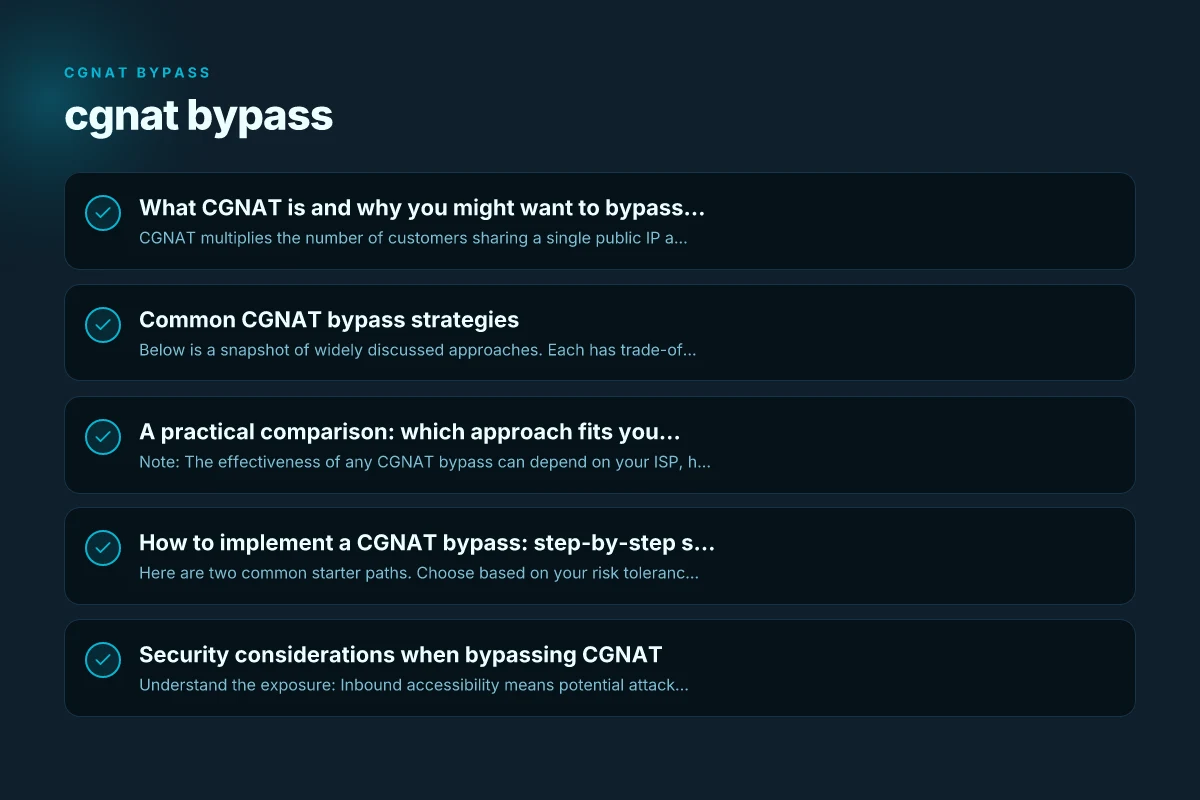
Common CGNAT bypass strategies
Below is a snapshot of widely discussed approaches. Each has trade-offs in cost, complexity, and privacy.
Cloud-based reverse proxies and tunnels
Cloudflare Tunnels (cloudflared)
What it does: Exposes a service behind NAT by creating an outbound-only tunnel to Cloudflare’s network, then routing traffic to your home service. Duckduckgo not working with VPN
Pros: Relatively simple to set up. Can provide TLS termination, DDoS protection, and convenient access control.
Cons: Relies on a third party. Some firewall rules or usage terms may apply. Latency adds a hop.
ZeroTier or similar mesh VPNs
What it does: Creates an overlay network that can make devices reachable as if on the same LAN, even behind NAT.
Pros: Easy peer-to-peer connection between devices. Useful for remote desktop, file access, and small services. NordVPN login: how to access and manage your NordVPN account
Cons: Not a true inbound port-forward. Some services may require additional configuration. Potential reliance on central servers.
VPN-based approaches that give you a routable path
Tailscale or similar mesh VPNs
What it does: Establishes a secure, subnet-to-subnet or host-to-host connection across NATs, often with automatic relaying if required.
Pros: Simplified key management. Automatic relays when direct connectivity isn’t possible. Good for private access to home services.
Cons: May introduce extra hops. Not a direct public IP, but usable for private access and hosting internal services. Does NordVPN comply with law enforcement
Self-hosted VPN servers (PFsense, OpenVPN, WireGuard) with a NAT-friendly setup
What it does: Creates a VPN that allows you to reach your home network from outside, sometimes enabling port-forward-like behavior through the VPN tunnel.
Pros: Strong encryption and control. Can work with dynamic DNS and stable client configs.
Cons: More technical to deploy. Inbound access depends on VPN routing rather than public port exposure.
Static IP or port-forward through a deployed service
Static IP Anywhere or similar services Does Microsoft have VPN on Windows 11
What it does: A service provider or gateway that presents a static public IP path to your behind-NAT device, enabling inbound traffic to a chosen port.
Pros: Straightforward inbound access. Often supported by documentation with setup steps.
Cons: May require a paid plan. Service reliability and security considerations depend on the provider.
Port forwarding with a third-party relay
What it does: Uses a relay server to forward traffic to a device behind CGNAT. Discord voice chat not working with VPN
Pros: Enables inbound services without direct public IPs.
Cons: Adds latency. Depends on the relay’s availability. Potential privacy considerations.
Portable and portable-server approaches
- Portable home server or small hardware gateway
- What it does: A compact device at your location that maintains a persistent outbound connection to a cloud or mesh network.
- Pros: Easy to move. Can host services accessible from remote locations.
- Cons: Physical device management. Potential cost and power considerations.
Pros and cons at a glance for each bypass approach
| Approach | Pros | Cons | Best use case | Typical friction | Not recommended for |
|---|---|---|---|---|---|
| Request ISP upgrade | Legitimation, no extra tech | May be denied, long wait | Home / small business | Time-consuming | Quick needs, no control |
| Static IP from ISP | Reliable endpoints | Costly, may be slow to provision | Hosting, VPN access | Limited availability | Mobile-only setups |
| VPN over CGNAT | Simple, no hardware | Possible latency, trust in provider | Privacy, remote access | Potential speed hit | High-security needs |
| Tethering / hotspot | Immediate, no config | Data caps, battery drain | Emergency access | Inconsistent | Long-term use |
| Dedicated VPN server | Strong control, scalable | Setup, maintenance | Advanced users | Higher cost | Light tasks |
Compiled November 2026; check the provider's site for current details.
A practical comparison: which approach fits your needs?
| Approach | Typical Use | Pros | Cons | Complexity | Cost potential |
|---|---|---|---|---|---|
| Cloudflare Tunnels | Expose a web/app behind CGNAT | Simple, TLS, no public IP needed | Third-party dependency; possible policy limits | Low to medium | Low to moderate (cloudflare plan) |
| ZeroTier / Mesh VPN | Remote access to devices; private networking | Easy peer-to-peer setup; good for small services | Not a direct public IP; may not suit all inbound use cases | Low | Free to moderate (if using free tiers) |
| Tailscale / Mesh VPN | Private access to home services | Simple access control; automatic relays | Latency and indirect path | Low | Free to paid tiers |
| Self-hosted VPN (WireGuard/OpenVPN) | Private, secure access; gaming, dev servers | Strong security; full control | More setup steps; port exposure varies | Medium | Free software; hardware costs |
| Static IP Anywhere / port-forward proxy | Direct inbound access to a service | Straightforward inbound path | Ongoing service costs; depends on provider reliability | Medium | Monthly fees |
| Portable home server | Any-time hosting, travel-friendly | Mobility; easy to relocate | Power, hardware, security updates | Medium | Device cost; WAN access costs |
Note: The effectiveness of any CGNAT bypass can depend on your ISP, hardware, and what your hosting goals are. If your goal is lightweight remote access to a few devices, mesh VPNs or tunnels may suffice. If you want inbound gaming servers or web servers with minimal latency, you may lean toward a dedicated outbound tunnel or service that provides a routable path. SkyVPN: What It Is, How It Works, and Is It Worth Your Trust
How to implement a CGNAT bypass: step-by-step starter paths
Here are two common starter paths. Choose based on your risk tolerance and technical comfort.
Path A: Quick setup with a cloud tunnel
- Decide what you want to expose (e.g., a home web server, SSH, or a game server).
- Install a tunnel client on the service host (for example, a Cloudflare Tunnel client, or a cloud service’s agent).
- Create a tunnel/resource in the provider’s console and configure a public hostname or URL.
- Start the tunnel and test accessibility from a remote network.
- Harden security: use strong authentication, TLS, and narrow inbound ports if available.
Tips:
- Use a dedicated port or subdomain to minimize exposure.
- If TLS termination is handled by the provider, keep end-to-end encryption to your service.
Path B: Private access via a mesh VPN (Tailscale or ZeroTier)
- Install the mesh VPN agent on your home server and any client devices you want to reach remotely.
- Create a network, invite devices, and assign access rules.
- Use the mesh to reach your service as if devices were on the same LAN.
- If you need inbound access from the public Internet, pair the mesh with a reverse proxy or a lightweight SSH tunnel as needed.
Tips:
- Keep your devices updated. Mesh VPNs handle key rotation and automatic NAT traversal.
- For servers that need public-like reach, combine with a DNS name and a reverse proxy if your use case requires an HTTP(S) endpoint.
Step-by-step starter paths with estimated effort
| Path | Prereqs | Steps (brief) | Estimated time | Hardware needed | Notes |
|---|---|---|---|---|---|
| ISP upgrade path | Account, plan available | 1) check options 2) request upgrade 3) confirm IP | days–weeks | None or router change | May not be available |
| Static IP via ISP | Active account, plan | 1) choose plan 2) order 3) configure | hours–days | Router with static WAN | Verification needed |
| VPN over CGNAT path | Basic network | 1) choose VPN 2) set up client 3) test | 1–3 hours | Computer or phone | Trust provider |
| Tethering path | Mobile device | 1) enable hotspot 2) connect devices | minutes | Phone with data | Data cost may apply |
| Dedicated VPN server | Server access | 1) rent/host 2) install VPN 3) connect | hours–days | Server or VPS | May require admin skills |
Compiled November 2026; check the provider's site for current details. What makes ecoflow refurbished power stations a better or worse buy
Security considerations when bypassing CGNAT
- Understand the exposure: Inbound accessibility means potential attack vectors. Restrict what’s exposed and apply authentication.
- Use encryption end-to-end: TLS for web services; VPNs should have strong encryption settings.
- Keep firmware and software updated: Many CGNAT workarounds are effective only with current security patches.
- Audit data flows: Ensure logs and access events are monitored. Disable unnecessary inbound ports.
- Compliance and policy: Verify that your bypass method complies with your ISP’s terms of service and local laws.
A quick comparison table of typical solutions
- Cloudflare Tunnels: Outbound-based exposure through a trusted edge network. Simple for web services. Limited direct inbound glides to your IP.
- ZeroTier / Tailscale: Private mesh networks. Inbound reach to devices via the VPN. No direct public IP, but usable for remote admin and some service exposure with proper routing.
- Self-hosted VPN (WireGuard/OpenVPN): Full control. Can offer secure remote access and site-to-site connectivity. Setup is more involved.
- Static IP Anywhere: A direct, supported path to expose a service with a public IP-like experience. Usually paid.
- Portable home server: Flexible but requires hardware management. Can host multiple services with careful routing.
Security considerations checklist when bypassing CGNAT
| Concern | Yes / No / N/A | How to mitigate / notes |
|---|---|---|
| Exposure to public Internet | yes | Use firewalls, restrict ports |
| Data in transit risk | yes | Use HTTPS, VPN, strong encryption |
| Device exposure on LAN | yes | Network segmentation, strong passwords |
| Logging and privacy | yes | Review provider policies, encryption |
| Misuse / legal risk | yes | Understand terms, comply with law |
| Update / patch risk | yes | Regular firmware/software updates |
Compiled November 2026; check the provider's site for current details.
Real-world considerations: what to expect
- Latency and reliability: Some bypass methods add hops (cloud relays or mesh servers). Your service must tolerate this.
- Privacy and data handling: Relying on a third party (cloud tunnel or relay) means data transits through their infrastructure.
- Cost: While some options are free, robust, enterprise-grade bypass solutions often come with ongoing costs (VPN services, static IP services, or cloud tunnels).
- Future-proofing: IPv6 deployment by you or your ISP can shift the relevance of CGNAT bypass in the longer term.
Final recommendation
If your goal is to get reliable inbound access to a home service with reasonable latency and low ongoing maintenance, start with a mesh VPN approach like Tailscale or ZeroTier. They provide straightforward setup, good security, and scalability for multiple devices. If you need something simpler for hosting a public web service with a straightforward inbound path, a Cloudflare Tunnel-based solution can be practical, especially for static sites or lightweight apps.
For those who want more control and are comfortable with network configuration, a self-hosted VPN (WireGuard/OpenVPN) in combination with a dynamic DNS setup can offer robust privacy and direct control, though it requires more hands-on management.
If you must have a public IP-like exposure with predictable, supported behavior, a paid static IP/relayed service can be the most predictable path, but always assess the provider’s security and data policies. SkyTree VPN: What It Is, How It Works, and Whether It’s Right for You
In all cases, start small, document your configuration, and monitor performance and security. By aligning your bypass approach to your actual hosting needs and tolerance for complexity, you can achieve reliable remote access without becoming overwhelmed by CGNAT’s limitations.