406 Not Acceptable: What It Means and How to Fix It
A practical guide to understanding HTTP 406 Not Acceptable and how to fix it for both clients and servers.
406 Not Acceptable: What It Means and How to Fix It
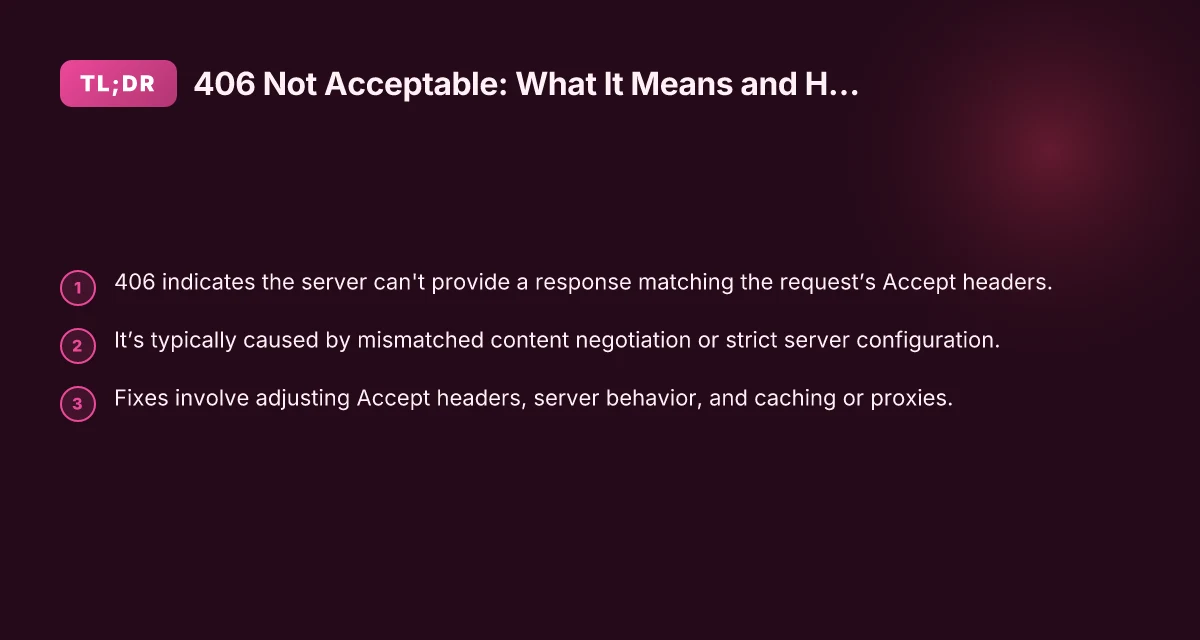
When a client sends a request to a server, it may specify what kinds of responses it can handle using Accept headers. A 406 Not Acceptable error means the server cannot generate a response that matches the criteria defined by the request's Accept header. In short: the server doesn’t have a version of the resource in a format the client asked for, and the server is not willing or able to provide an alternative.

What causes 406 Not Acceptable?
406 errors arise during content negotiation, a process where the client and server agree on the most suitable representation of a resource. Common causes include:
- The client requests a format that the server cannot deliver (e.g., Accept: application/json but the server only has HTML or XML).
- The server is misconfigured and cannot produce the formats it advertises.
- Versioned or language-specific content is unavailable for the requested resource.
- Proxies or content delivery networks (CDNs) intermediating the request block all other formats.
- The resource is dynamically generated and the server’s content negotiation logic is failing.
Typical scenarios
- An API that only serves JSON but a client asks for JSONP or XML.
- A static website that only serves HTML, but a client asks for application/xhtml+xml.
- A legacy service where certain representations were deprecated but still advertised as acceptable.
How to diagnose 406 Not Acceptable
Diagnosing 406 involves checking both client and server behavior, plus any intermediaries. Here are practical steps:
- Inspect the request headers
- Look at Accept, Accept-Language, Accept-Encoding, and User-Agent.
- Note any vhosts, authentication, or cookies that could influence content negotiation.
- Check the server’s response
- Review the 406 response body if present. Some services return a helpful message.
- Look for Vary headers in the response (Vary: Accept, Vary: Accept-Language), which reveal what caused the negotiation to fail.
- Review server-side configuration
- Web servers (Apache, Nginx) may have modules or rules that constrain content types.
- Application frameworks (Express, Django, Rails) often implement their own negotiation logic.
- Examine proxies and CDNs
- A proxy might strip or rewrite Accept headers or cache only certain representations.
- Ensure the origin server and edge cache agree on available formats.
- Test with minimal requests
- Temporarily simplify the Accept header to catch whether a broader format is available.
- Use curl or a REST client to reproduce the issue: curl -i -H "Accept: application/json" https://example.com/resource
How clients can fix or work around 406 Not Acceptable
If you control the client, several adjustments can prevent 406 errors:
- Relax the Accept header
- If possible, allow multiple formats (e.g., Accept: / or Accept: application/json, text/html).
- Remove overly strict preferences unless the server guarantees them.
- Use explicit endpoints
- Some APIs provide separate endpoints for different formats (e.g., /resource.json vs /resource.html).
- Check content negotiation expectations
- Ensure the client requests a format the server actually supports.
- If you know the server supports JSON, preferred Accept: application/json.
- Cache considerations
- A cached 406 could persist if the cache holds an error for a given Accept header.
- Clear or bypass caches during testing to confirm behavior.
- Language and encoding
- Accept-Language and Accept-Encoding can influence the chosen representation. Ensure you’re requesting a valid combination.
How servers can fix or avoid 406 Not Acceptable
On the server side, preventing 406 requires robust content negotiation and clear behavior when formats are unavailable:
- Ensure a clear content negotiation policy
- Declare exactly which representations you can serve and what Accept headers you honor.
- If a requested format is unavailable, consider returning 415 Unsupported Media Type or 406 with a helpful body, rather than failing silently.
- Provide sensible fallbacks
- If a preferred format is not available, offer the closest alternative (e.g., JSON when JSON is not requested).
- Avoid “silent” failures where the server refuses all valid requests.
- Align headers with responses
- Use Vary: Accept to signal caches when different Accept headers yield different representations.
- Ensure the response content-type (Content-Type) matches one of the values in the Accept header.
- Review application logic
- Check middleware, routes, and controllers that perform content negotiation.
- Ensure there are no hard-coded restrictions that produce 406 unintentionally.
- Examine proxies and CDNs
- If a CDN consistently returns 406, verify origin responses and whether the edge layer modifies Accept headers.
- Purge caches after changes so clients fetch fresh representations.
Comparison: 406 Not Acceptable vs. other common HTTP 4xx errors
| Error | Meaning | Typical Causes | Developer focus |
|---|---|---|---|
| 406 Not Acceptable | The server cannot provide a response matching the Accept header. | Content negotiation failure; no acceptable representation available. | Align server capabilities with Accept headers; improve negotiation logic. |
| 400 Bad Request | The request is malformed or invalid. | Parsing errors, invalid syntax, missing required data. | Validate input early; provide helpful error messages. |
| 415 Unsupported Media Type | The request’s payload format is not supported by the server. | Wrong Content-Type for request body. | Ensure clients send supported Content-Types; update API schema. |
| 415 vs. 406 difference | 415 concerns the request body; 406 concerns the response format. | Different parts of the negotiation. | Keep payload format and response format handling distinct. |
Real-world examples
- API with multiple representation formats
- Client requests Accept: application/json, but the API only supports application/xml. The server responds 406 Not Acceptable to indicate it cannot satisfy the requested formats.
- Web service behind a CDN
- The origin supports HTML and JSON, but the CDN edge only provides HTML. A client requesting Accept: application/json gets a 406 from the CDN, prompting investigation into edge caching rules.
- Language-specific content
- A resource has en.json and en.html, but the client sends Accept-Language: fr. The server lacks a French version, potentially triggering 406 if the negotiation is too strict.
Best practices for developers
- Be explicit about supported formats
- Document the formats you serve and the negotiation logic you implement.
- Use meaningful error bodies
- When returning 406, include a body that explains which formats are available and how to request them.
- Avoid forcing a single representation
- If possible, support multiple acceptable formats or gracefully fall back to a default.
- Test with varied headers
- Include Accept, Accept-Language, and Accept-Encoding variations in tests to catch negotiation issues early.
- Monitor and log
- Log the Accept header and the server’s chosen representation when a 406 occurs to diagnose pattern failures.
Short final recommendation
406 Not Acceptable is a negotiation failure, not a generic server fault. The best way forward is to ensure your server clearly communicates what it can serve, provide sensible fallbacks, and keep edge caches and proxies in sync with origin capabilities. For clients, avoid overly strict Accept headers unless necessary, and prefer explicit endpoints or widely supported formats when possible. Binance card activation: step-by-step
If you’re consistently hitting 406 in production, start by checking what Accept headers clients are sending, verify which representations your server actually supports, and inspect any intermediaries that might be altering the request or response.